



Donations let your players help pay for the server they play on. Every server comes with its own donation page and a link you can share anywhere. Anyone can open it and donate in a few clicks, no MintServers account needed.
Every donation is added straight to your account balance, which pays for your server automatically. Your players chip in, your server keeps running.
How It Works
- Your own page: each server gets a personal donation page with its own link. Share it on Discord, in your server chat, anywhere.
- No account needed: donors just enter their in-game username, pick an amount and pay.
- Straight to your balance: donations become account credit and go towards your renewals automatically.
- Automatic rewards: set up console commands that run on your server the moment a donation comes in.
Setting Up Your Page
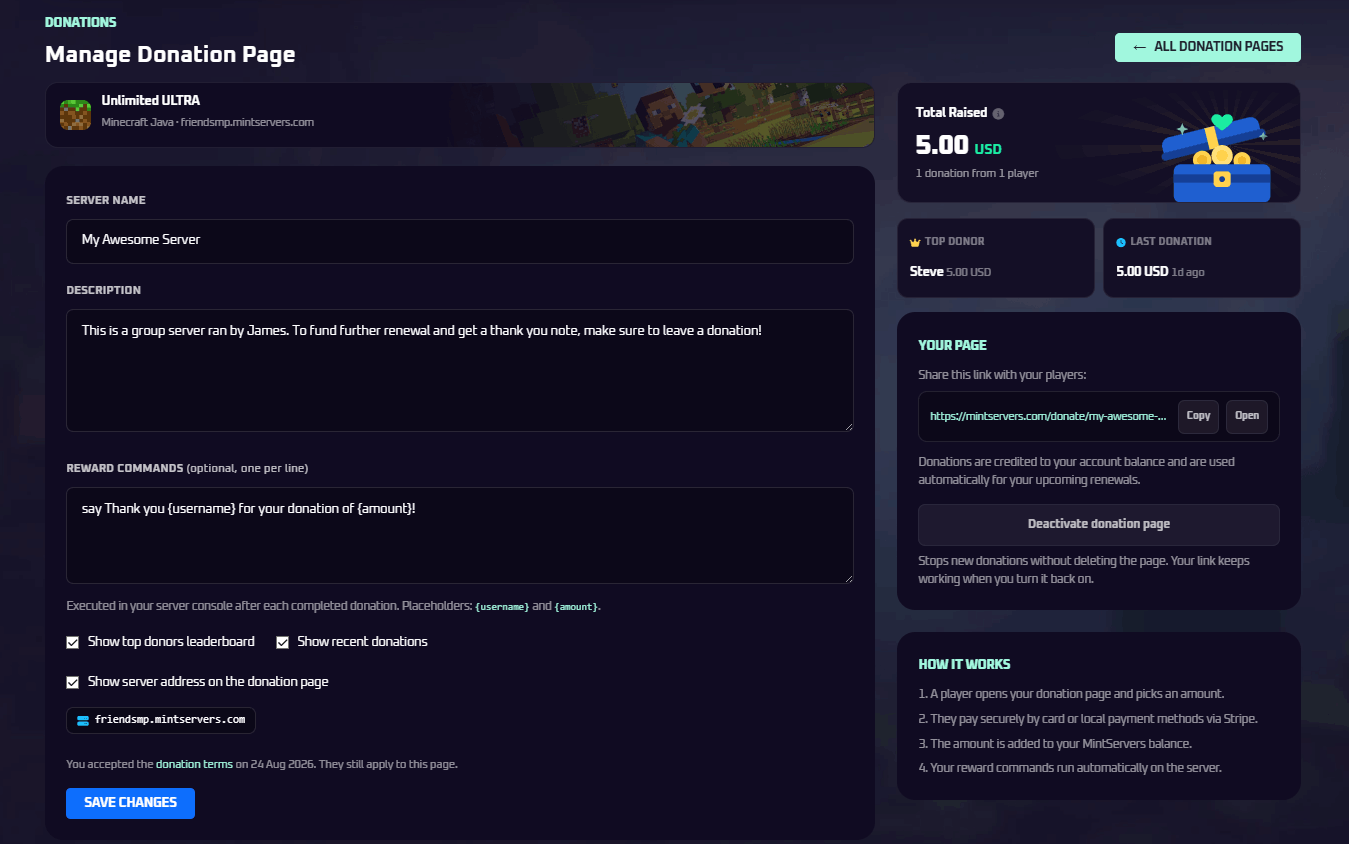
- Open your MintServers dashboard and click Donations.
- Pick the server you want donations for and click Manage.
- Give your page a name and a short description so players know what they are supporting.
- Choose what to show on the page: a donor leaderboard, recent donations and your server address.
- Accept the donation terms and save. Your page is live.
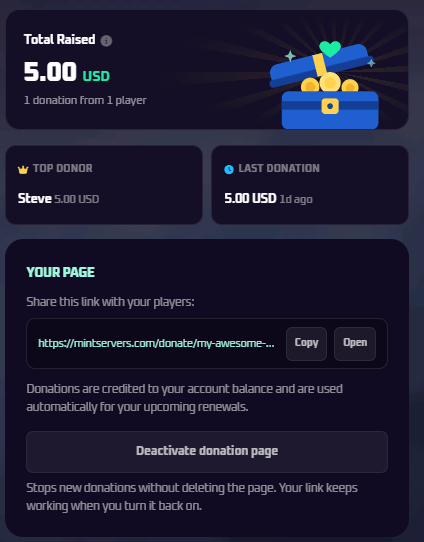
Once your page is live, you will see your shareable link along with your stats: total raised, number of donors, top donor and the latest donation. Hit Copy and start sharing.
Reward Commands
Want to thank donors in game? Add console commands to your page, one per line. They run on your server automatically after every successful donation. Use {username} for the donor's name and {amount} for what they gave. For example:
How Your Players Donate
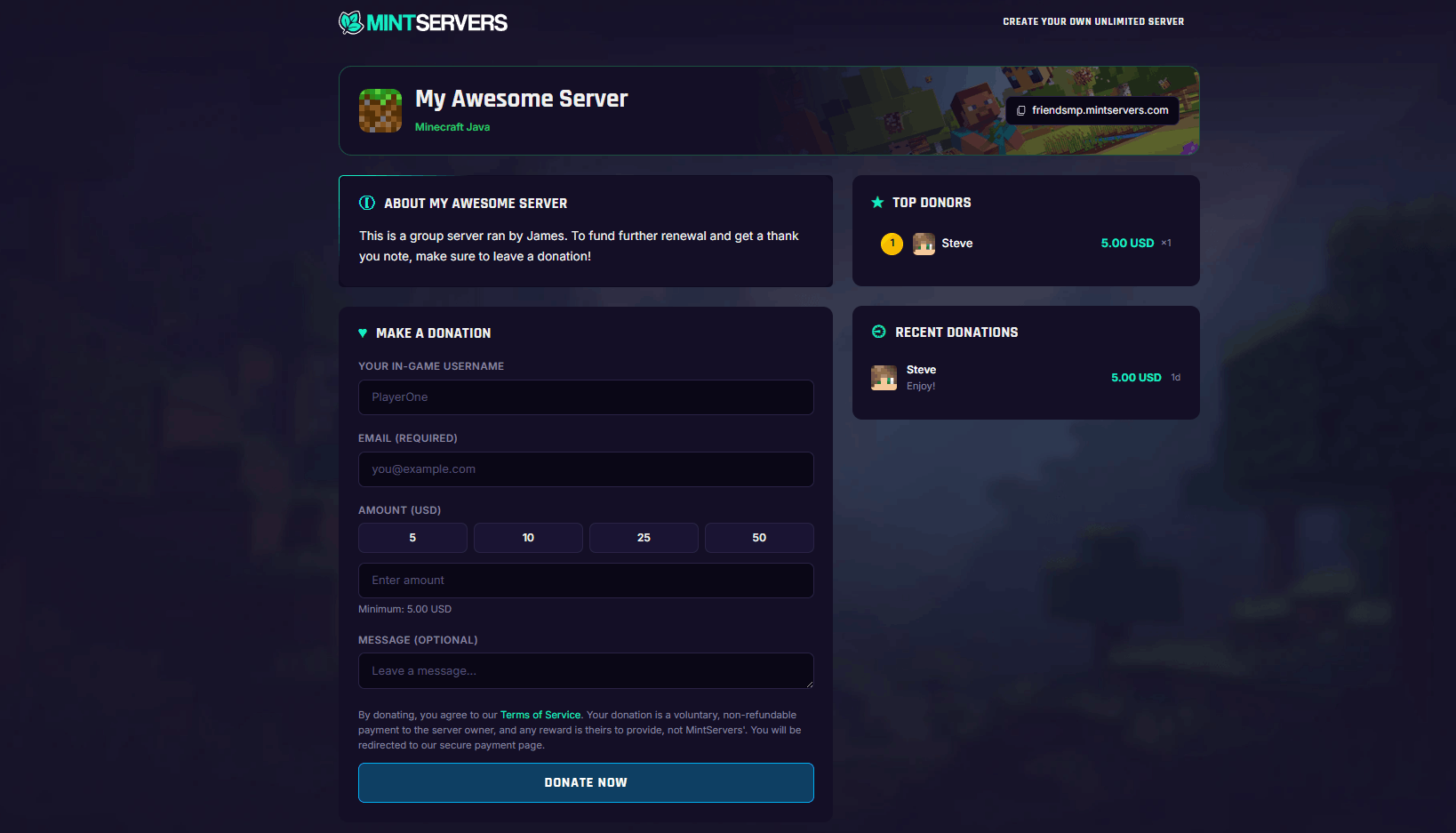
- They open your donation link. No sign up, no account.
- They enter their in-game username and email, pick an amount and can leave a short message.
- They pay with any available payment method, including local options like iDEAL and Bancontact. See our supported payment methods guide.
- Done. Your balance updates and any reward commands run right away.
Donations are added to your MintServers account balance and are used automatically when your server renews. Read more in our guide to your account balance.
Common Questions
- Do my players need a MintServers account? No. Anyone with the link can donate.
- Is there a minimum? Yes, donations start at 5.
- Can I turn my page off? Yes, deactivate it anytime from the manage page. Your link and donation history are kept, so you can switch it back on later.
- What rewards can I offer? That is up to you, as long as they follow our donation terms and your game's own rules, such as the Minecraft EULA.
- Can I hide the leaderboard? Yes. The leaderboard, recent donations and your server address are all optional and can be toggled anytime.