



Are you taking a break from gaming for a while? Before you hit that cancellation button and lose all your hard work, we have a much better option for you! MintServers allows you to completely pause your subscription, instantly stopping your billing while keeping your world files completely safe.
Let us walk through how to easily put your server to sleep so it is ready for you when you decide to return.
Why You Should Pause Instead Of Canceling
- Instant Billing Suspension: The moment you agree to pause, your subscription payments stop entirely. You will not be billed at all while the service is on hold.
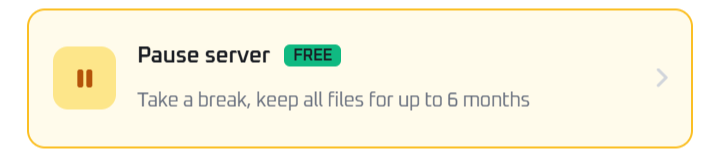
- Free File Storage: We will safely store your world data, plugins, and configurations for up to 6 months absolutely free of charge! (Note: inactive game instances are not kept, but your main active server files are fully preserved).
- Return Anytime: You are not locked out! You can unpause and jump back into your game whenever you want.

How To Pause Your Service
Putting your server on hold only takes a few clicks from your main billing area.
- Log into your MintServers dashboard.
- Find the server you want to put on hold and click Manage.
- Navigate to the Manage Subscription section.
- Click the button labeled Pause server.
- Review the prompt and agree to the pause. Your service will be instantly suspended!
Ready To Come Back?
When you are ready to resume your adventure and reactivate your billing, it is just as easy as pausing. Check out our full guide on How To Unpause Your MintServers Service to get your server back online in minutes!
When you are ready to resume your adventure and reactivate your billing, it is just as easy as pausing. Check out our full guide on How To Unpause Your MintServers Service to get your server back online in minutes!