



 Enshrouded
Enshrouded is an action survival RPG set in a vast open world where players explore, build, and battle together against the encroaching shroud. Whether you are hosting your own Enshrouded server for cooperative adventures or joining friends in the mystical world of Embervale, connecting to your server is straightforward.
This guide will walk you through finding your server details and connecting so you can start your survival journey. Let us get your squad connected!
Step 1: Access Your Server Details
Before launching the game, you will need to grab your unique server address from your control panel.
- Navigate to the MintServers Dashboard at
https://mintservers.com/dashboardand log into your account. - Click on your Enshrouded server from the list and select Open Game Panel.
- Locate your server's IP address and port number. Copy this information as you will need it to connect. The format will look something like this:
57.128.33.159:25567

Step 2: Launch Enshrouded and Select Join
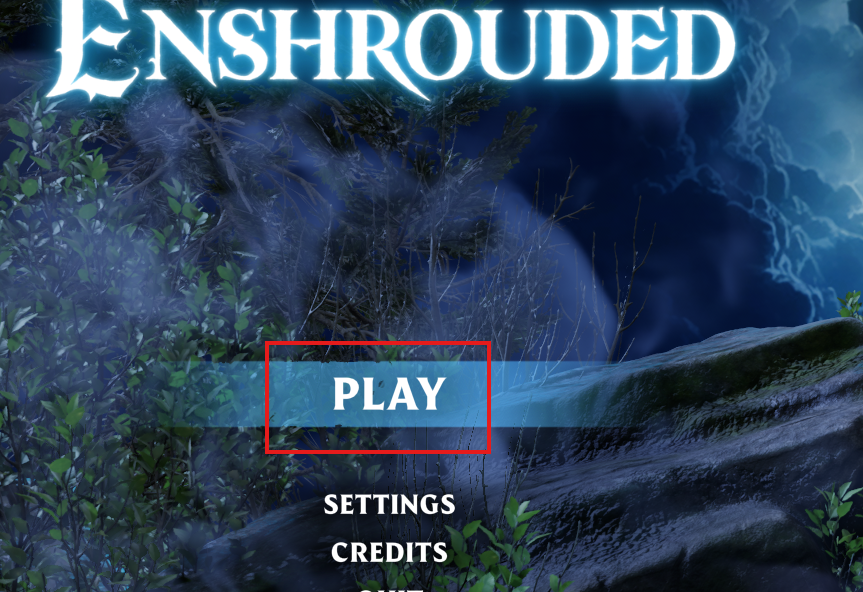
- Open Enshrouded on your computer.
- From the main menu, click the PLAY button.
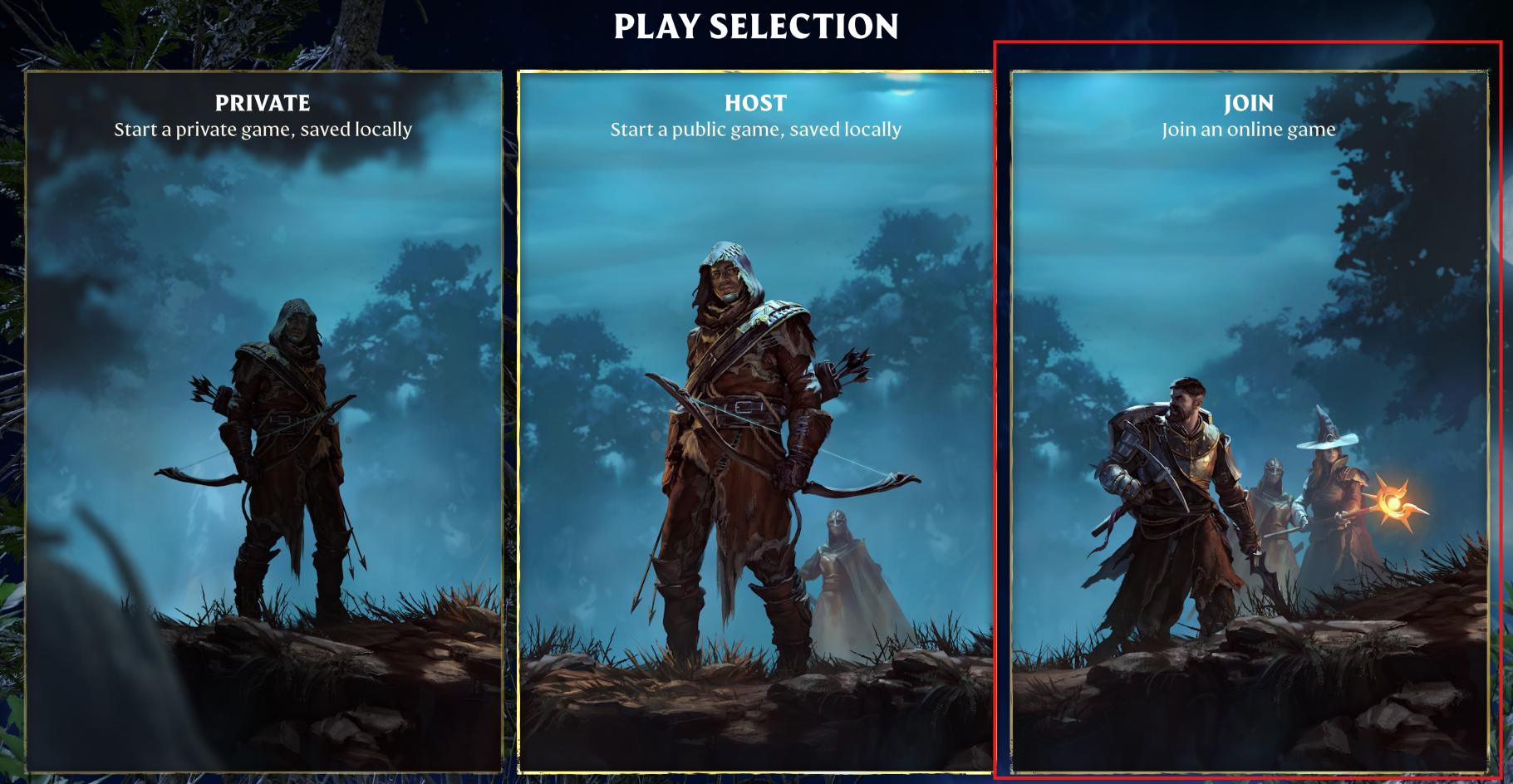
- On the Play Selection screen, choose the JOIN option to access the online server browser.
Step 3: Search for Your Server
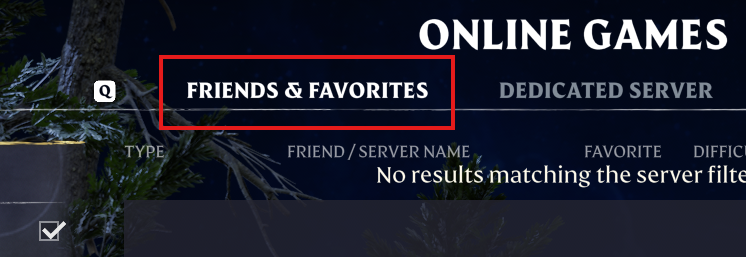
- In the Online Games screen, select the Dedicated Server tab at the very top.
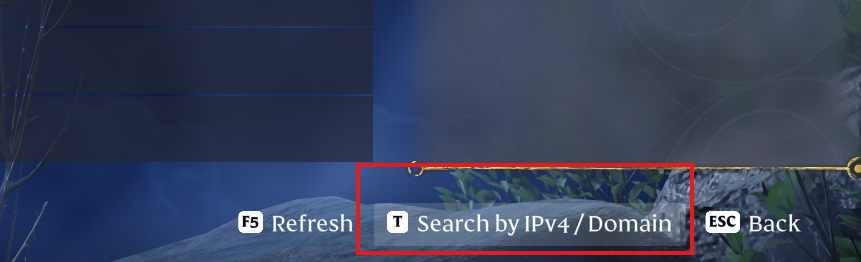
- Click Search by IPv4 / Domain at the bottom of the screen (or just press the T key).
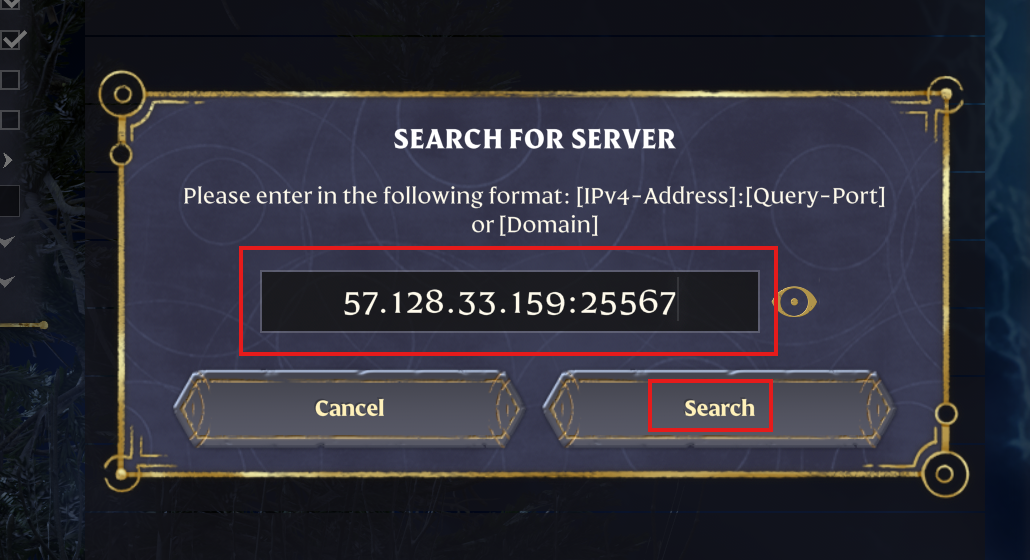
- In the Search for Server dialog, paste your server's IP address and Query Port from Step 1 in the exact
IP:Portformat (For example:57.128.33.159:25567). - Click Search to find your server on the network.
Step 4: Connect and Enter Password
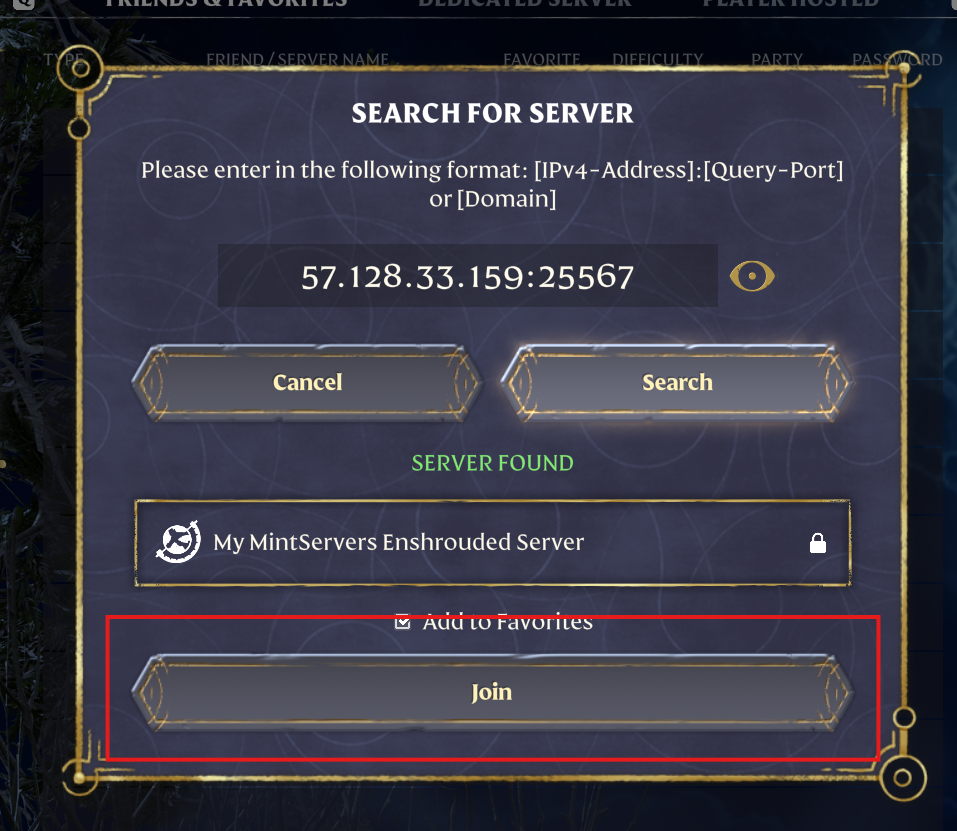
- Once your server pops up under SERVER FOUND, select it and click Join to connect.
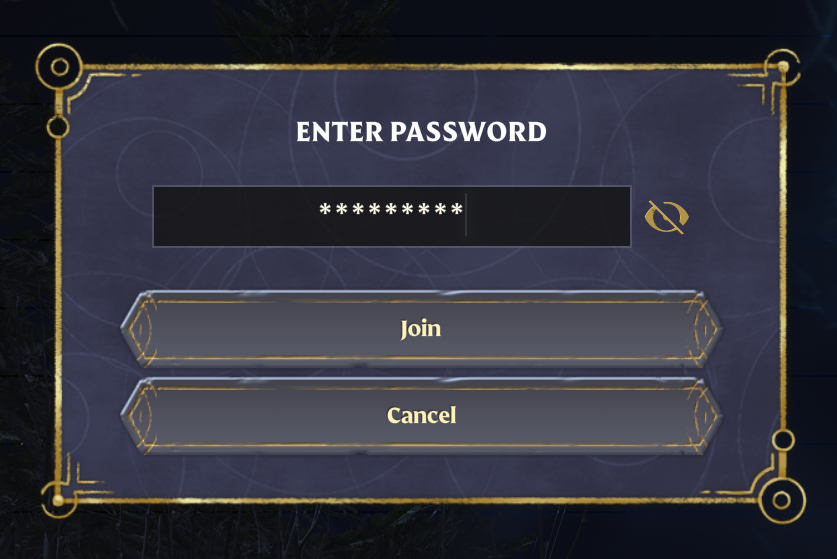
- If your server has a password set, you will be prompted to enter it now. Input the password and click Join to finally connect to your Enshrouded server and begin your adventure!
Need to set up or manage your server password? Check out our quick guide on Enshrouded Server Groups & Passwords to keep your world secure!
🛠️ Troubleshooting Connection Issues
- Server Offline: Ensure your server is actually running and shows as "Online" in the MintServers game panel before trying to connect.
- Typo in Address: Double-check the IP address and port number are entered correctly without any accidental spaces. Make sure you are using the correct Query Port displayed on your panel!
- Password Issues: Confirm any server password is entered correctly. Passwords are fully case-sensitive!
- Version Mismatch: Check that your local computer has the absolute latest version of Enshrouded installed through Steam so it matches the server.
If you have checked all of the troubleshooting steps above and your game is still unable to connect, no worries! Let's fix that together. Just open a support ticket from your billing dashboard and our team will gladly jump in and get you connected.