



 Hytale
How to Authenticate Your Hytale Server
Before players can join your Hytale server, you need to verify that you own it and to be eligible for multiplayer server discovery in the future. This is a simple process that takes just a few minutes. Don't worry - we'll walk you through every step!
Why Do I Need to Authenticate?
Think of authentication like proving you have the keys to your house. Hytale wants to make sure that the person running the server actually owns a copy of the game. This helps keep the game safe and fair for everyone.
Each Hytale account can run up to 100 servers, which should be more than enough for most players!
When You First Start Your Server
The first time you start your Hytale server, you'll see a special message appear with a link and a code. This is completely normal - it's asking you to verify your server.
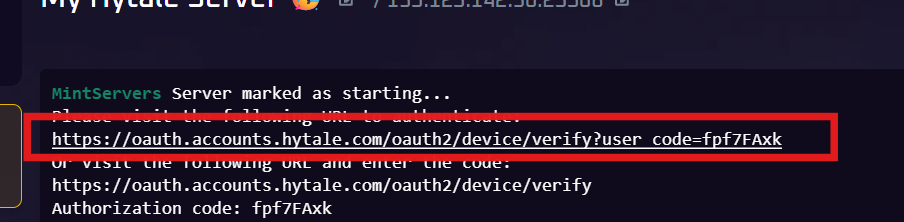
You'll see something like this:
Please visit the following URL to authenticate:

https://oauth.accounts.hytale.com/oauth2/device/verify?user_code=9y3ztrUL

Or visit the following URL and enter the code:

https://oauth.accounts.hytale.com/oauth2/device/verify

Authorization code: 9y3ztrUL

How to Authenticate Your Server (Easy Steps)
Follow these simple steps to get your server verified:
- Click the link - You'll see a long link in your server window. Just click it! It will open in your web browser.
- Sign in to Hytale - If you're not already signed in, you'll need to enter your Hytale username and password.
- Click "Approve" - You'll see a page asking if you want to authorize this server. Simply click the green "APPROVE" button.
- You're done! - That's it! Your server is now verified and players can join.
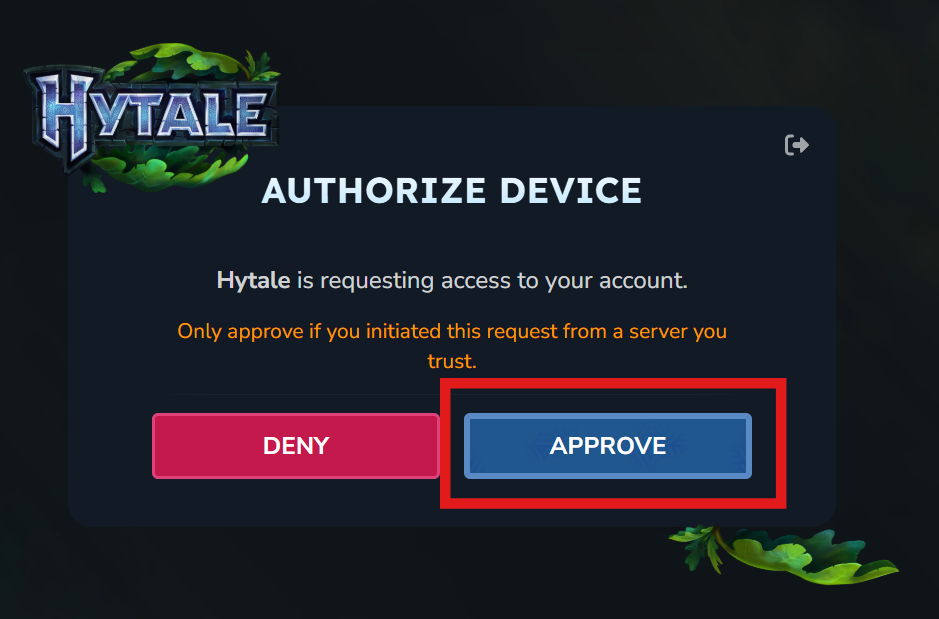
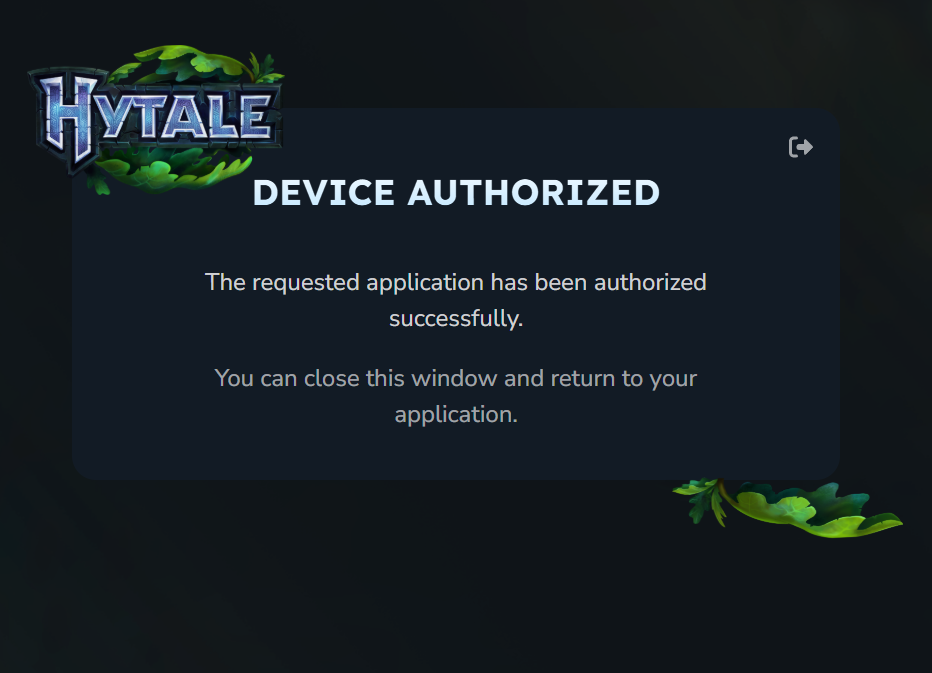
After you click approve, your server window will show "Authentication successful!" and you're all set.
How to Re-Authenticate
After every restart, you must authenticate your server again otherwise you will have an issue. Follow the steps:
- Run /auth login device command - Simply run
/auth login devicein console - Click the link - You'll see a long link in your server window. Just click it! It will open in your web browser.
- Sign in to Hytale - If you're not already signed in, you'll need to enter your Hytale username and password.
- Click "Approve" - You'll see a page asking if you want to authorize this server. Simply click the green "APPROVE" button.
- You're done! - That's it! Your server is now verified and players can join.
Can't Click the Link?
If you can't click the link directly, no problem! You can copy and paste it into your web browser. Or, you can visit the second link shown and type in the code manually. Both ways work the same.
Do I Have to Do This Every Time?
Nope! You only need to authenticate once. After you verify your server the first time, it stays verified. Even if you turn your server off and on again, you won't need to repeat this process.
The only time you'd need to authenticate again is if you completely reset your server or move it to a different computer.
Running Multiple Servers?
If you want to run more than one server, you'll need to authenticate each one separately. The good news is that one Hytale account can verify up to 100 different servers!
Quick Tips
- Work quickly - The code expires after 10 minutes, so don't leave it sitting there too long. If it expires, just restart your server to get a new one.
- Use the right account - Make sure you sign in with the Hytale account that owns the game.
- Stay safe - Don't share your authentication links with other people. These links are like passwords for your server.
- Need more servers? - Remember, one account can run up to 100 servers. That's plenty for most people!
Having Trouble?
If something isn't working, here are the most common fixes:
- The code doesn't work - If it says your code expired, just restart your server. You'll get a fresh new code.
- Can't sign in - Double-check that you're using the correct Hytale account that has the game.
- Page won't load - Make sure your computer is connected to the internet. The verification happens online.
- Already verified error - This means your server is already set up! You can skip this step.
That's All There Is To It!
Authenticating your Hytale server is super easy and only takes a couple of minutes. Once you've done it, you're all set and never have to do it again. Now you're ready to invite your friends and start playing!
Hosting your Hytale server with MintServers makes everything even easier. We handle the technical stuff so you can focus on having fun. With features like automatic backups, one-click restarts, and easy file management, running your server has never been simpler.
Ready to start your Hytale adventure? Get your server up and running with MintServers today!