



 Runescape: Dragonwilds
The Owner ID is the single most important setting on a RuneScape: Dragonwilds server. Without it, the server won't start, and if it somehow did, it wouldn't appear in the in-game world list. It's also what makes you the Owner, the only role that can unban people. The ID itself comes from inside the game, and this guide shows exactly where to find it and where to put it.
Step 1: Copy Your Player ID From the Game
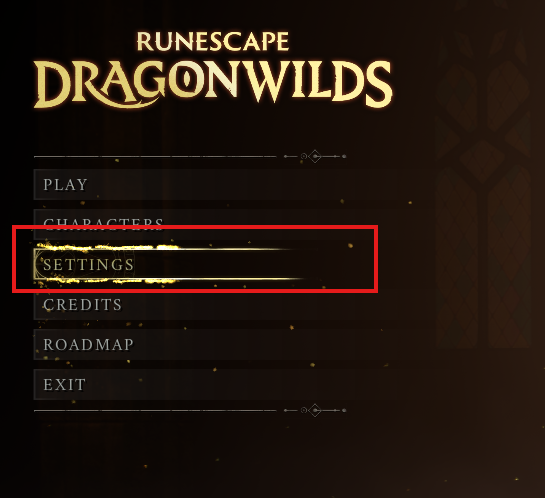
- Launch RuneScape: Dragonwilds and wait for the main menu.
- Click Settings.
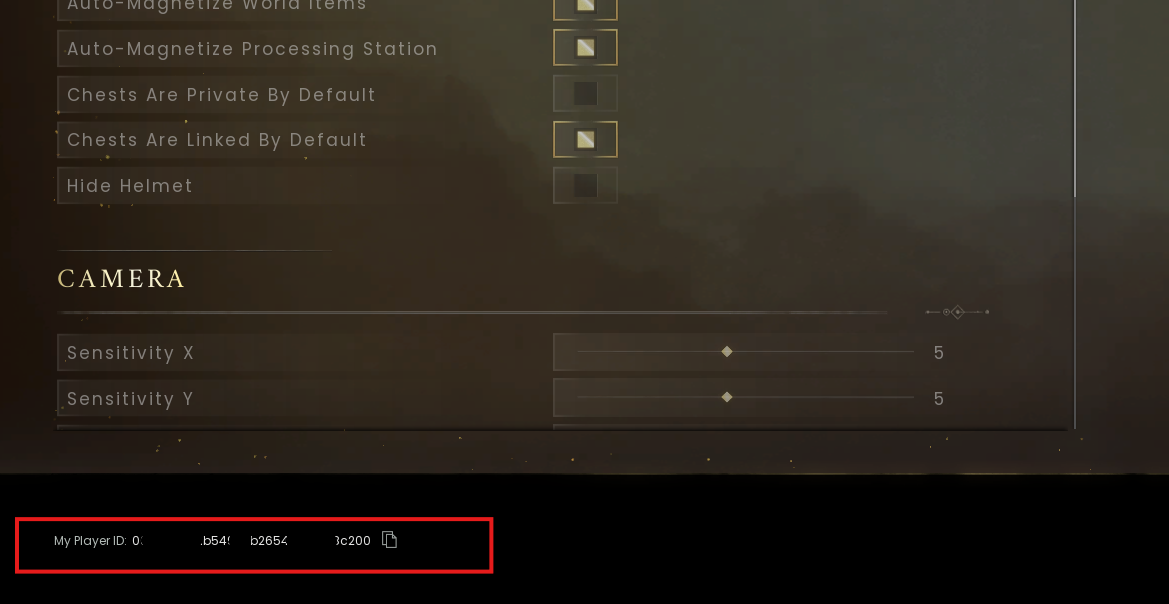
- Look at the bottom-left corner of the Settings screen. Your Player ID is displayed there, a long string of letters and numbers.
- Click the copy button next to it. Copying with the button is safer than selecting the text by hand, since a single missed character will stop the server from recognising you.
Step 2: Paste It Into the Owner ID Field
- Log into your MintServers panel and open your Dragonwilds server.
- If the server is running, click Stop on the Console tab and wait for it to go offline.
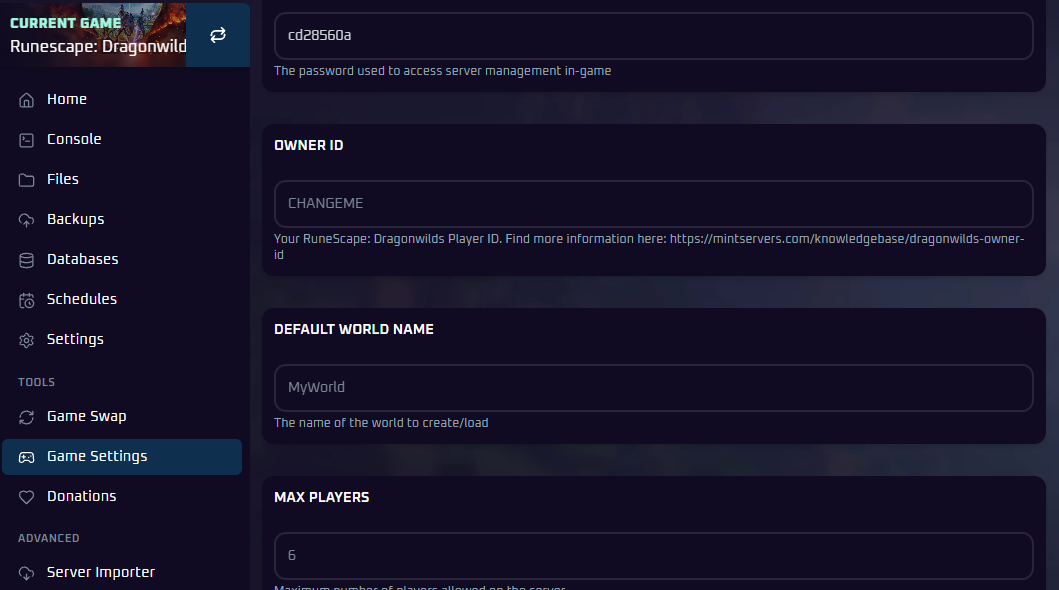
- Click Game Settings in the left-hand sidebar.
- Find the Owner ID field and paste your Player ID into it. Check there are no spaces before or after it.
- Save your changes.
- Head back to the Console tab and click Start.
What the Owner ID Actually Does
Two things happen once a valid ID is in place. First, the server is allowed to boot and register itself with the world list, which is why an empty Owner ID leaves you with a server that either won't start or can't be found. Second, the account that owns that ID is treated as the Owner whenever it joins. Owners can ban and unban any player, online or offline. Admins (people who entered the admin password) can only ban players who are currently online and can't lift bans at all. The full breakdown is in How to Set an Admin Password and Kick or Ban Players.
🛠️ Troubleshooting Owner ID Problems
Server stops right after starting:Owner ID is most likely still empty or has a typo. Open Game Settings and compare it character by character with what the game shows.Server runs but nobody can find it:Same cause, or the world name is being searched with the wrong capitalisation. Run through the checklist in Server Not Showing in the List.I'm in the world but don't have Owner powers:The ID in the panel doesn't match the account you're playing on. Re-copy it from Settings on the same account you use to join.
Next Steps
- Get into your world now that it's online: How to Join Your RuneScape: Dragonwilds Server
- Set up admins and learn who can ban whom: How to Set an Admin Password and Kick or Ban Players
With your Player ID saved as the Owner ID, the server can start and you'll have full control the moment you join. If you run into any trouble, no worries! Just open a support ticket and our team will gladly help you get it sorted out.