



 Eco
Eco
Once your Eco server is up and running, connecting to it in-game only takes a minute. This guide covers the fastest way in, direct connecting with your server's IP and port, plus an alternate method if you'd rather search for your server by name.
Step 1: Find Your Server's IP and Port
Before opening the game, grab your connection details from your MintServers panel.
- Log into your MintServers panel and open your Eco server.
- On the Console tab, note the Address and Port listed at the top of the page.
- Combine them into a single address separated by a colon, for example
192.169.80.22:3000.
Step 2: Join Through Direct Connect
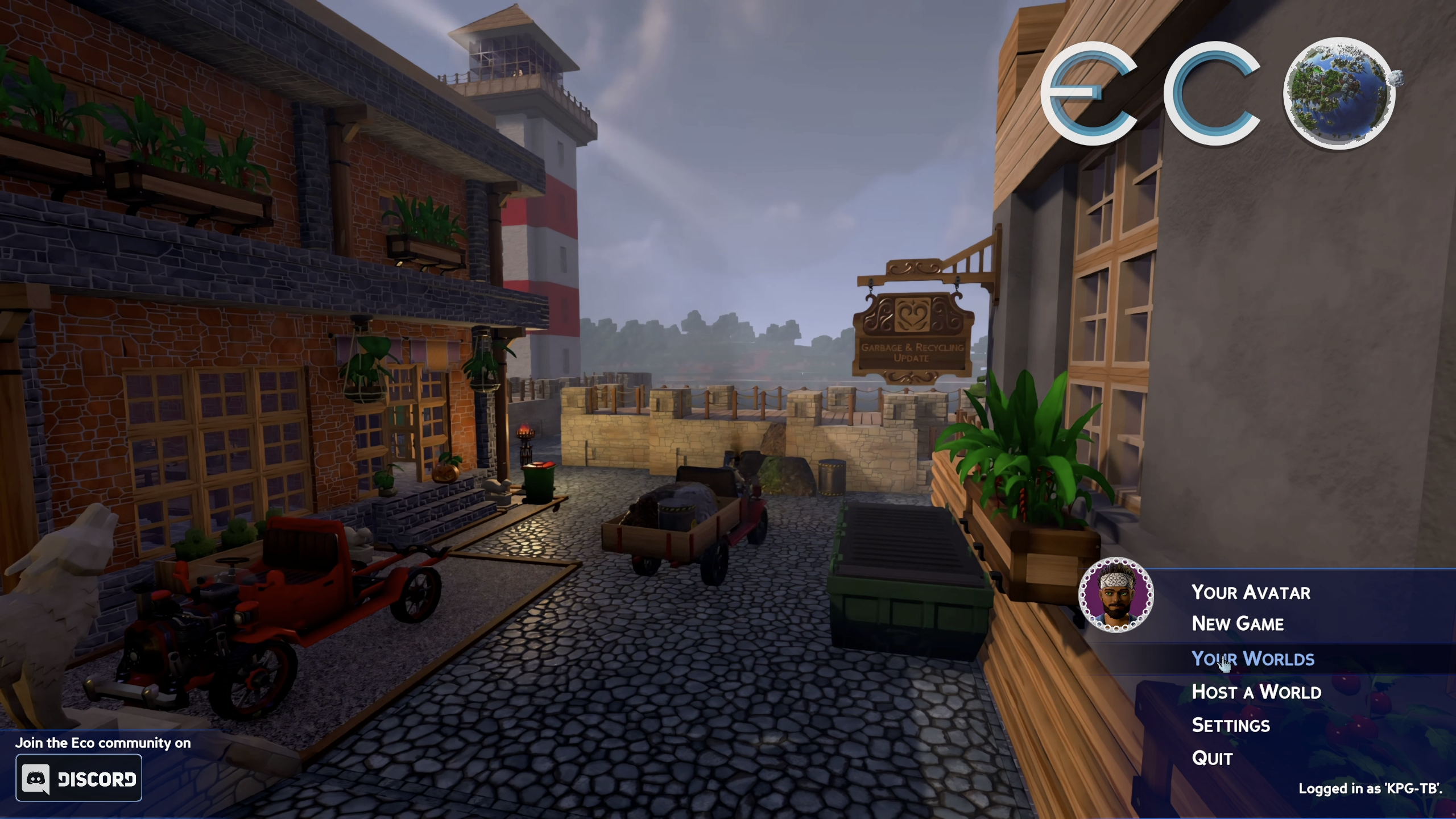
- Launch Eco and wait for the main menu to load.
- Click
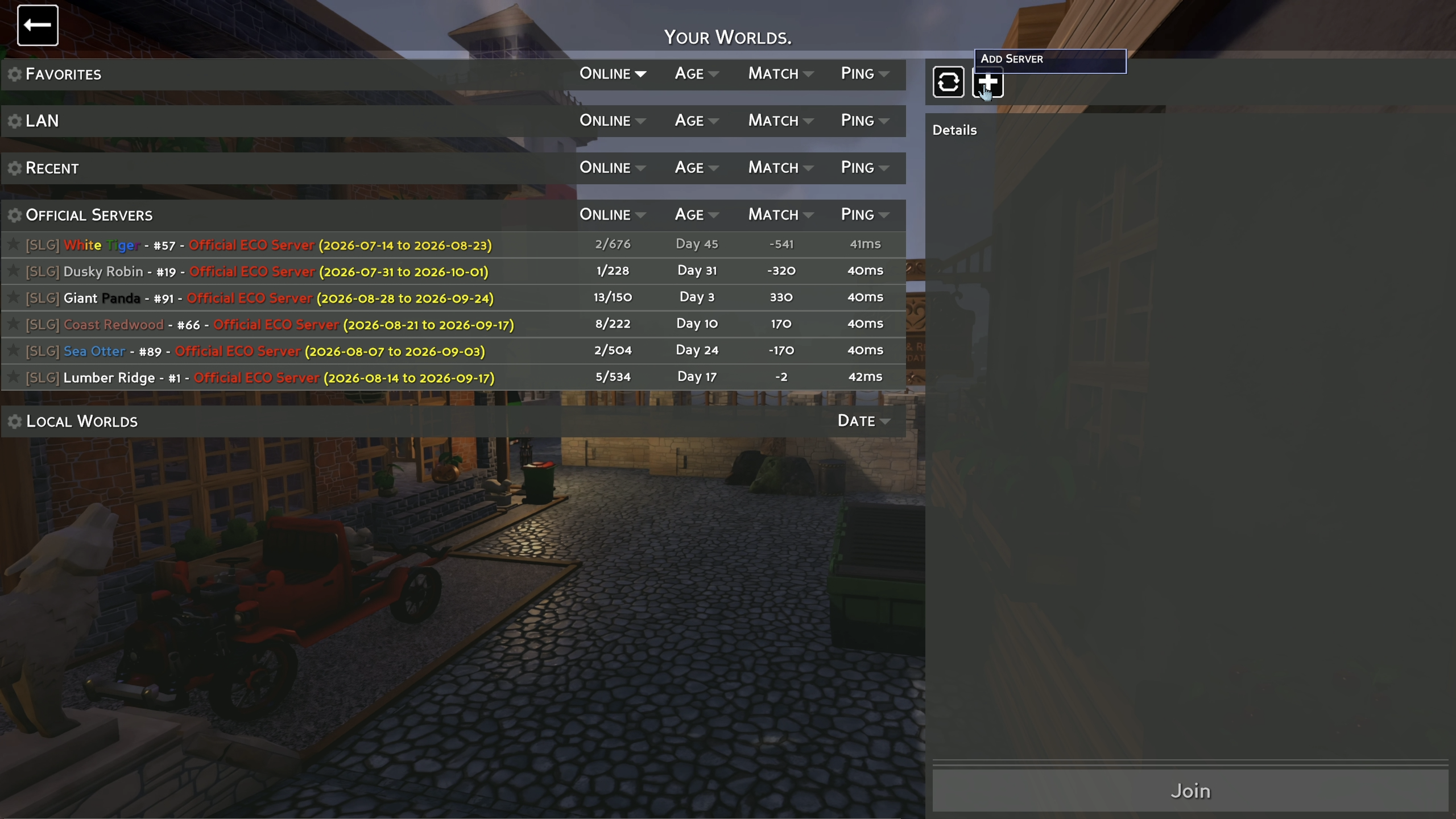
Your Worlds. - Click the
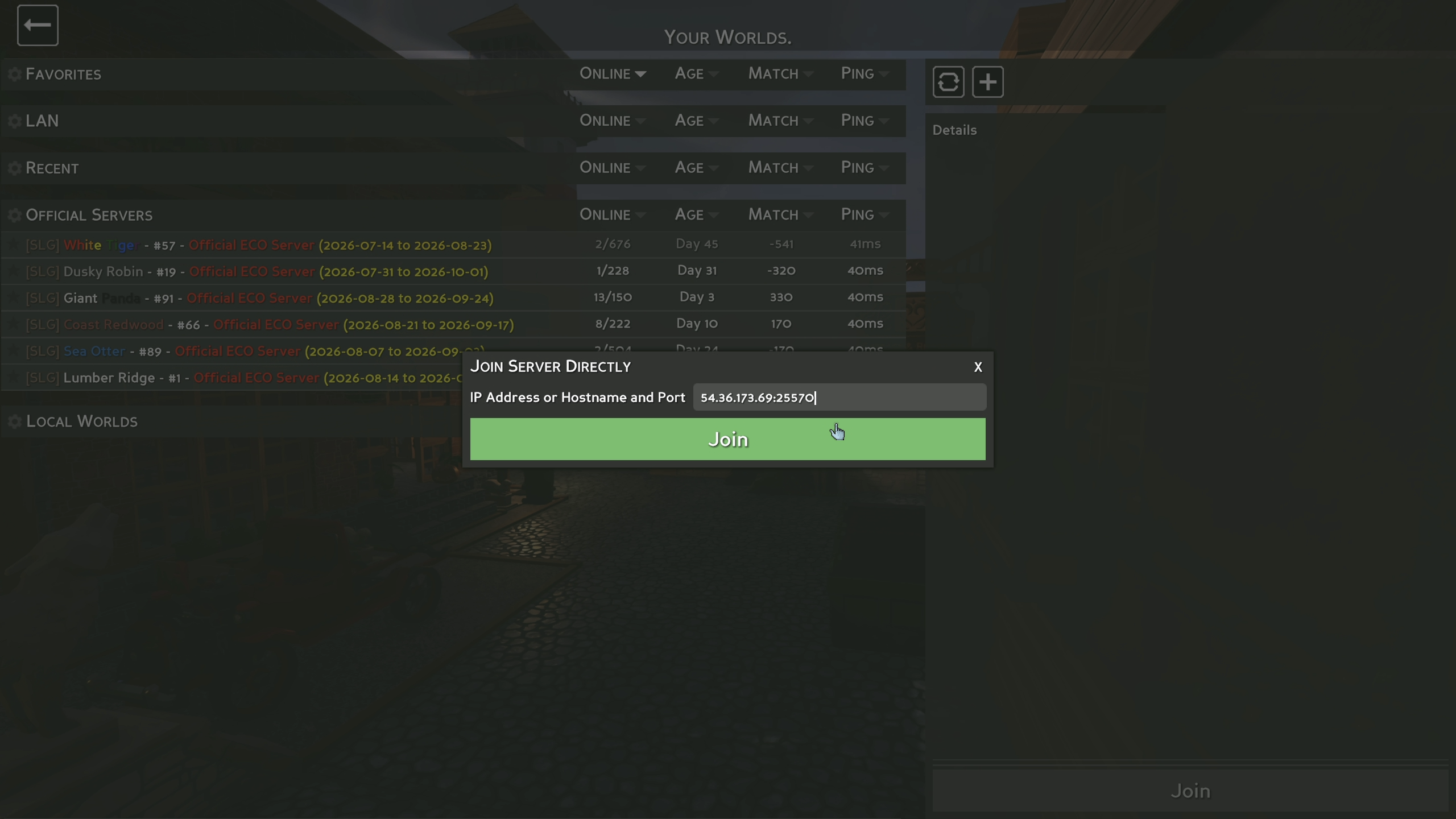
+button in the top-right corner. - Type or paste your server's IP:PORT into the field.
- Click
Join.
💡 Pro Tip:
Once you've connected to a server this way, it's saved under Your Worlds automatically. Next time, just select it from the list instead of re-entering the address.
If your server has a password set, Eco will prompt you for it after clicking Join. Just enter it and you'll be connected.

Alternative: Finding Your Server In The Public Browser
If your server is public and has a name set, you can also find it without typing an IP address:
- Launch Eco and click
New Gamefrom the main menu. - Click
Browse Allin the top-right corner. - Click the green search icon.
- Type your server's name and click
Search. - Select your server from the results and click
Join.
📌 Note:
This method only works if your server is set to public and has completed its SLG authentication. If you can't find it in the browser, double-check both of those settings, or just use Direct Connect instead.
🛠️ Troubleshooting Connection Issues
Connection timed out:Confirm your server is fully started on the MintServers panel and not stuck restarting.Wrong address error:Make sure there's a colon (not a space) between the IP and the port, with no extra characters.Server doesn't show up in the browser:Direct Connect with the IP:PORT instead. Public listings can take a few minutes to appear after a restart.Asked for a password you don't know:Reach out to whoever manages the server for the current password.
If you're still having trouble connecting to your server, no worries! Just open a support ticket and our team will gladly help you get into the game.