



 Empyrion - Galactic Survival
Ready to jump into your Empyrion: Galactic Survival server? You can find it in the in-game server list or connect directly with its IP address and port. This guide covers both methods, plus the Easy Anti-Cheat setting that can stop you from joining.
Before you start, make sure your server is running on your MintServers panel.
Joining From The Server List
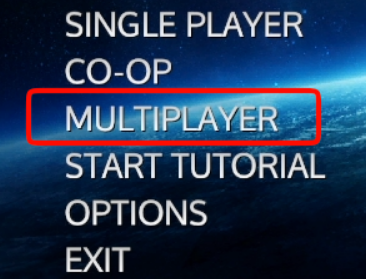
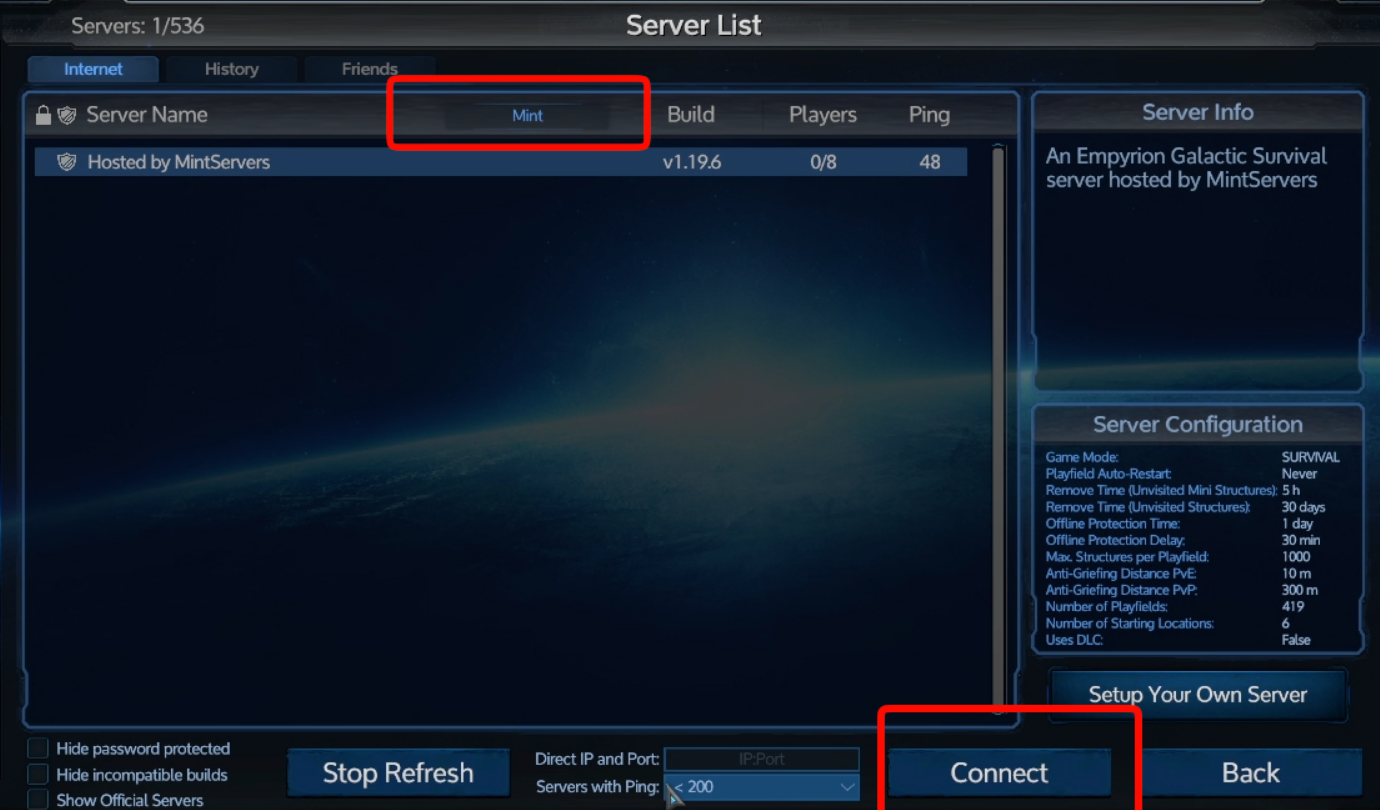
Your server name is the Server Name shown in the Game Settings tab of your MintServers panel. To change it, see our Server Configuration guide for Empyrion.
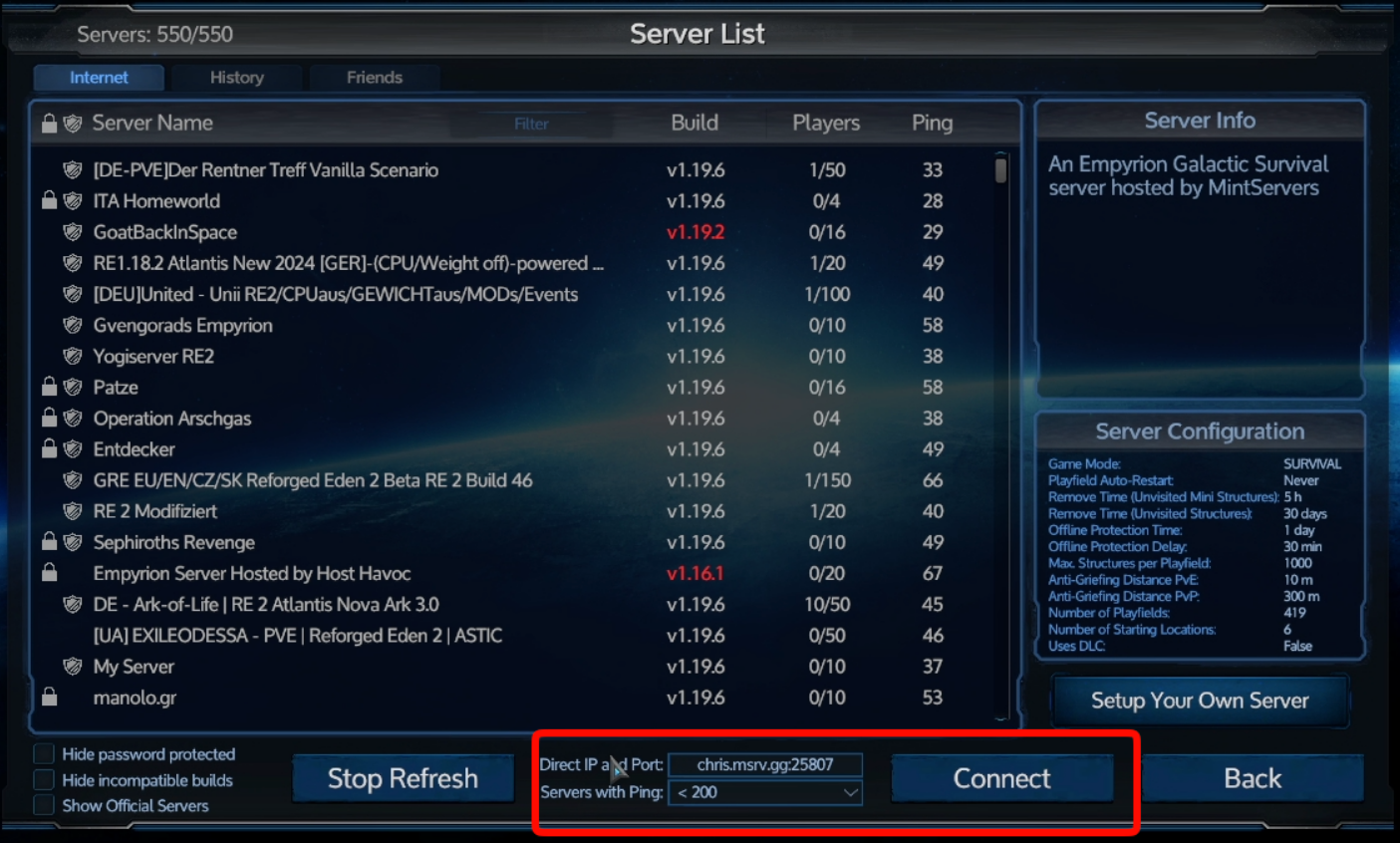
Connecting Via IP
If your server does not show up in the list, or you have set it to be hidden from the server browser, you can connect directly using its IP address and port.
Servers With Easy Anti-Cheat (EAC)
The EAC setting on your game has to match the server. If your server has Easy Anti-Cheat turned on, you must launch Empyrion with EAC enabled too, otherwise you will not be able to join.
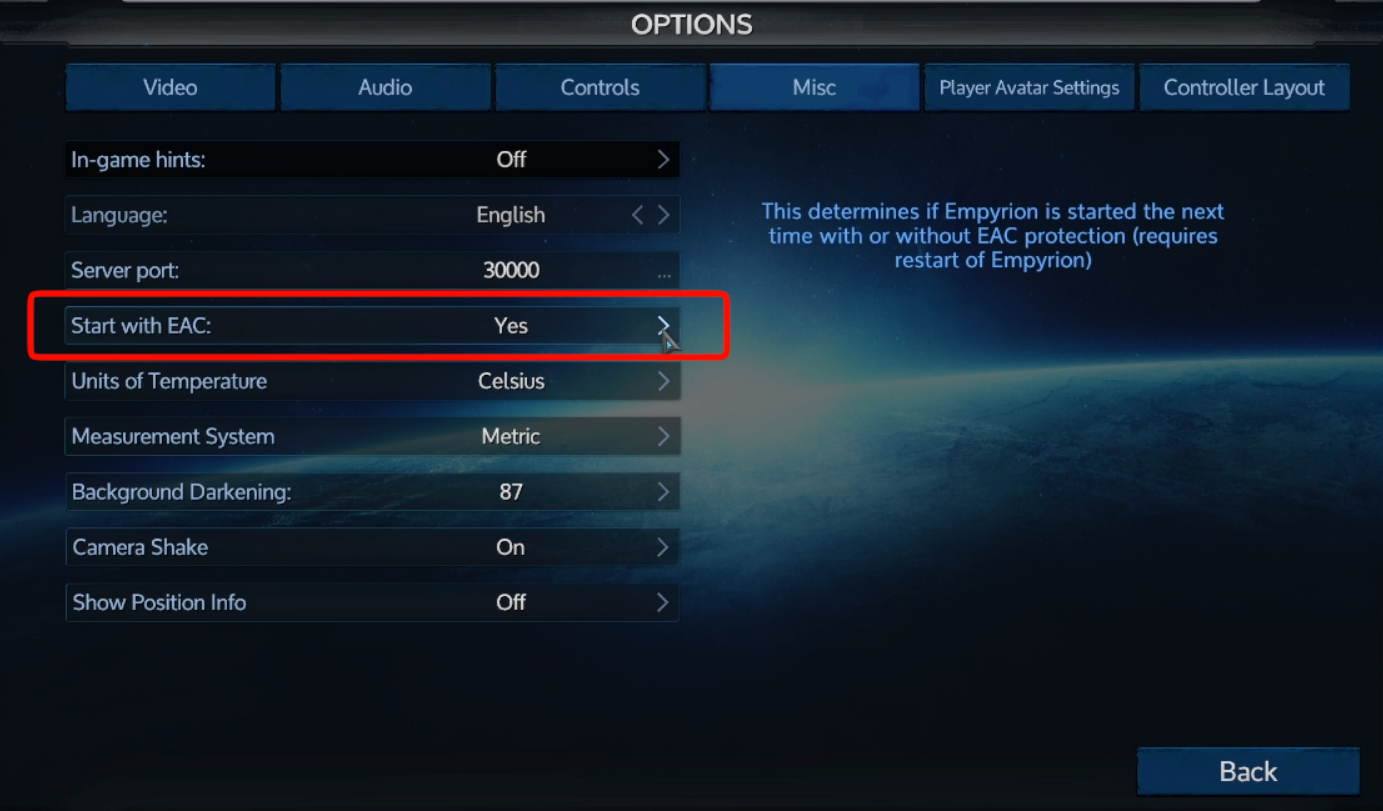
Some custom scenarios recommend running without EAC. If you turn off the EAC Active option in your server's Game Settings tab, remember to launch the game with Start with EAC set to No as well. See our Server Configuration guide for Empyrion for more details.
🛠️ Troubleshooting Connection Issues
Server not in the list
Make sure the server is started on your panel, and check the Hide password protected and Hide incompatible builds boxes at the bottom of the Server List. If Public is turned off in your server's Game Settings tab, connect with the IP and port instead.
Cannot connect
Double-check that your EAC setting matches the server, and that you typed the IP and port with a colon between them and no spaces.
Password required
If a Server Password is set in your server's Game Settings tab, you will need it to join.
Once you are in, you are ready to explore!
Still stuck?
Our team is happy to help. Open a ticket through the live chat button in the bottom-right corner of our website, or join our Discord and open a ticket there.
Join our Discord