



 Rust
Rust
While vanilla Rust provides an incredibly brutal and rewarding survival experience, adding mods and plugins allows you to completely transform your server! Whether you want to add an economy system, custom kits, a 3x gather rate, or administrative tools, getting plugins running on your MintServers host is a breeze.
Let us walk through how to select a modding framework and start installing your favorite plugins.
Step 1: Choose Your Modding Framework
Before you can install any plugins, your server needs a "framework" installed to understand and run them. You have two main options, and you can select your preference right from the panel.
- Log into your MintServers game panel and select your Rust server.
- On the left-hand sidebar, navigate to the Game Settings tab.
- Locate the Modding Framework dropdown menu.
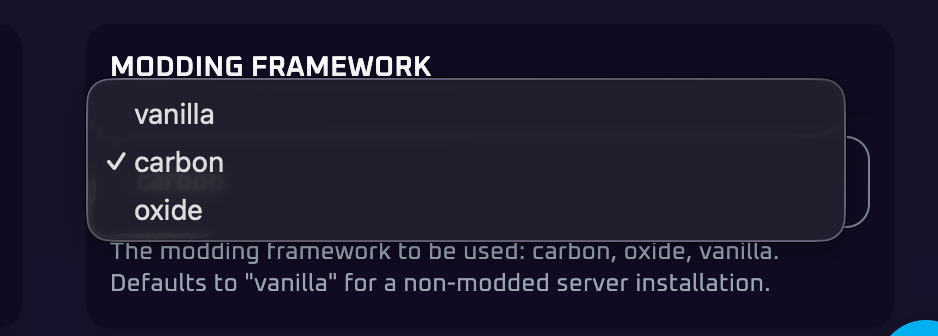
- Oxide (uMod): The classic, industry-standard framework. Almost every Rust plugin ever created was designed for Oxide. It has a massive community and is incredibly reliable.
- Carbon: A newer, modern alternative. It is fully backwards-compatible with standard Oxide plugins, but it is highly optimized, meaning plugins often run faster and with less strain on your server's memory.
Select your desired framework from the list and save your settings!
Step 2: Apply the Framework to Your Server
Now that you have selected a framework, we need to reinstall the server core files to apply it properly.
Before reinstalling, go to your Backups tab and create a fresh backup of your server. Additionally, double-check your Game Settings tab to ensure that the Regen Server option is disabled so your existing world data isn't wiped!
- Once backed up, navigate to the Settings tab on the left-hand sidebar.
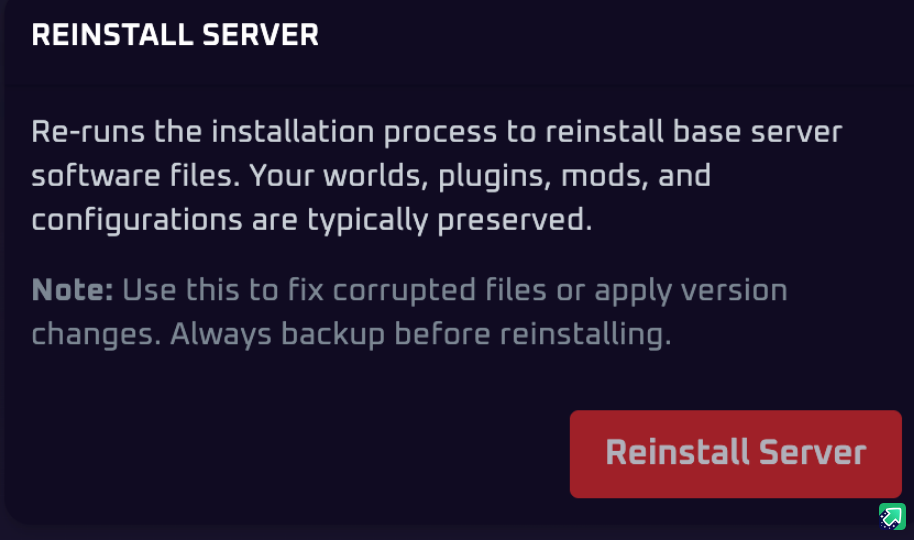
- Click the Reinstall Server button.
- Wait a few moments for the installation process to complete. Your server is now officially modded!
Step 3: Install Your Plugins
With your framework applied, adding plugins is now as easy as clicking a button!
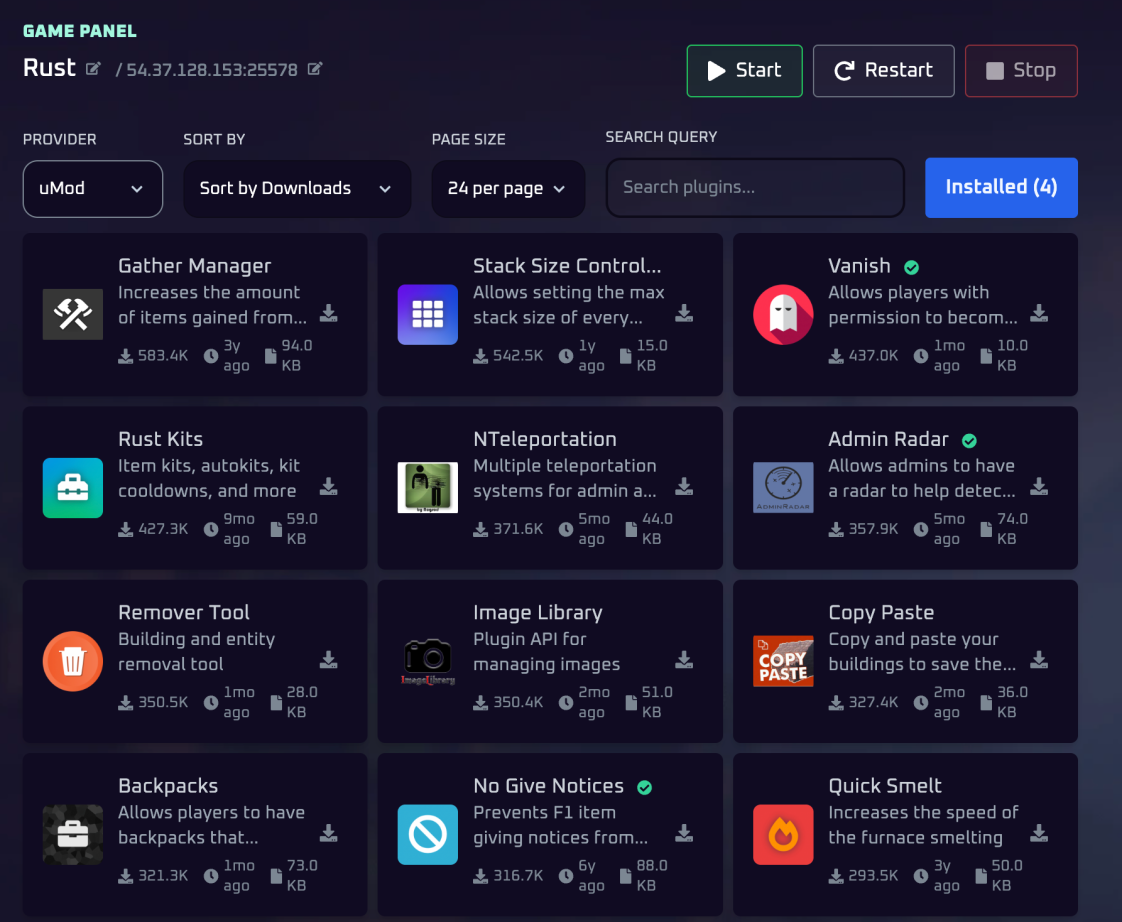
- On your panel sidebar, navigate to the Rust Plugins tab.
- Browse or search for the specific plugins you want (e.g., Gather Manager, Kits, NTeleportation).
- Click to install whatever you want! The panel will automatically download the plugin and place it into your server's
oxide/pluginsorcarbon/pluginsfolder. - Restart your server to load the new plugins, and you are ready to play!
🛠️ Troubleshooting Plugin Issues
A plugin isn't working in-game: Some complex plugins require you to configure their specific `.json` files or grant player permissions via the F1 console before they function properly. Check the plugin's documentation page for setup instructions!
No worries if your mods are still refusing to load! Just open a support ticket and our team will gladly jump in and instruct you on how to resolve the framework configuration.