



 Minecraft Java
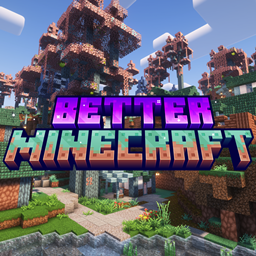
Ready to host your Better MC 5 (BMC5) Minecraft server and start playing with friends? Make your BMC5 server today with MintServers hosting - the easiest way to start a Minecraft server for this incredible modpack. Setting up a modded Minecraft server can be complex, but with MintServers hosting, you can create and start your server instantly. With our Unlimited Plan, we offer a streamlined installation process that gets your BMC5 Minecraft server hosting up and running in minutes, with *unlimited* slots and RAM.
Finally, you can focus on what matters most: exploring Better MC 5's enhanced vanilla experience and conquering new dimensions, without breaking the bank!
Why Choose MintServers for Your Better MC 5 Server?
Here's why MintServers is the unbeatable solution for hosting your Better MC 5 server:
- One-Click Install: Launch Better MC 5 instantly!
- Unlimited RAM & Slots: Just $9.99! Invite everyone to your enhanced world.
- Optimized Performance: Smooth, lag-free gameplay.
- 24/7 Uptime: Your adventure never stops.
- Hassle-Free: No tech skills needed - just pure Minecraft fun.
- Unbeatable Value: $9.99 for unlimited adventures!
What is Better MC 5 Modpack?
Better MC 5 (BMC5) is designed to be the ultimate "Minecraft 2.0" experience. Taking the beloved Better Minecraft series to the next level, it enhances vanilla Minecraft with carefully curated mods that improve every aspect of the game without losing its core identity. This modpack adds new dimensions, structures, biomes, bosses, and quality-of-life improvements. With enhanced world generation and fresh challenges, BMC5 creates the Minecraft experience we all wished for - familiar yet incredibly expansive.
Important Warning: Installing a major modpack will completely change your game. If you have an existing vanilla world on your server that you want to keep, navigate to the Backups tab and create a manual backup before proceeding!
Step 1: Download the Server Pack
Modpacks come in two versions: a client pack (for your personal game) and a server pack (for your host). We need the server pack!
- Navigate to the official Better MC [BMC5] page on CurseForge. Make sure you select the correct version you want to play (Forge, Fabric, or NeoForge).
- Click on the Files tab.
- Scroll down until you find the section for Additional Files or look for files explicitly labeled as Server Pack.
- Download the Server Pack .zip file to your personal computer.
- Once downloaded, extract (unzip) the folder on your computer. Inside, you will see folders like
mods,config, andkubejs.
Step 2: Prepare Your Server
Before uploading the files, we need to ensure your server is running the correct modloader foundation.
- Log into your MintServers panel and click Stop to shut down your server.
- Navigate to the Startup tab on the left-hand sidebar.
- Ensure your server's base software matches the BMC5 version you downloaded. For example, if you downloaded the Fabric version of BMC5 for Minecraft 1.20.1, make sure your MintServers panel is set to run Fabric 1.20.1.
- Next, navigate to the Files tab. If you have an old
worldfolder or default server files, select and delete them so they do not conflict with the new modpack.
Step 3: Upload the Modpack Files via SFTP
Because BMC5 contains hundreds of mods, the file size is very large. We need to use an SFTP client to upload it reliably.
- Open your preferred SFTP client, such as FileZilla or WinSCP. If you have never used SFTP before, check out our quick SFTP Connection Guide.
- Connect to your MintServers host using your panel credentials.
- Drag and drop all the extracted files from your downloaded Server Pack (the
mods,config, and any other folders) directly into the main directory of your server. - Wait for the upload to reach 100%. Ensure no file transfers failed!
Step 4: Boot It Up!
With the files securely on your server, it is time to launch your new adventure.
- Return to your MintServers panel and navigate to the Console tab.
- Click Start.
- Because the server is generating massive new biomes and loading hundreds of mods, the first startup will take a bit longer than usual. Just keep an eye on the console!
- Once the console says the server is online, you and your friends can connect.
Remember that all players joining the server must have the exact same version of the BMC5 client modpack installed on their personal computers via the CurseForge app. If your server crashes during startup, double-check that your server's modloader version in the Startup tab exactly matches the version required by the modpack. If you run into any stubborn errors, just open a support ticket and our team will be right there to help you fix it!