



 Vintage Story
Need to disable or enable whitelist mode on your Vintage Story server? Here's the quick command to control who can join your server.
Disable Whitelist
Open your server console and run:
/whitelist off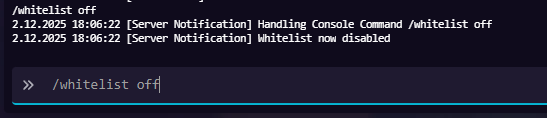
This allows anyone to join your server without being on the whitelist.
Enable Whitelist
To turn whitelist back on:
/whitelist onOnly players added to the whitelist will be able to join.

Managing Whitelist Players
Add a player to whitelist:
/whitelist add playernameRemove a player from whitelist:
/whitelist remove playernameView all whitelisted players:
/whitelist listHosting Your Vintage Story Server
Running a Vintage Story server requires reliable hosting with enough resources to handle world generation and player activity.
MintServers offers unlimited RAM and unlimited player slots for just $9.99/month - perfect for Vintage Story servers of any size.
Why MintServers for Vintage Story:
- Unlimited RAM - no limits as your world grows
- Unlimited player slots - host as many players as you want
- Instant server setup
- Full console access for commands like whitelist management
- 24/7 uptime with DDoS protection
- Daily automatic backups
Get your Vintage Story server running today at mintservers.com/vintage-story-server-hosting.
Quick Reference
Whitelist Commands:
/serverconfig whitelistmode off- Disable whitelist/serverconfig whitelistmode on- Enable whitelist/whitelist add playername- Add player/whitelist remove playername- Remove player/whitelist list- View all whitelisted players
That's it! You now know how to control whitelist access on your Vintage Story server.