



 Abiotic Factor
Ready to drop into the GATE Cascade Research Facility with your team? There are three ways to join your Abiotic Factor server: browsing the in-game server list, using a Lobby Code, or connecting directly by IP address. This guide walks through all three.
Method 1: Using The Server Browser
If you would rather search for your server by name instead of copying codes or IP addresses, the in-game server browser is the easiest option.
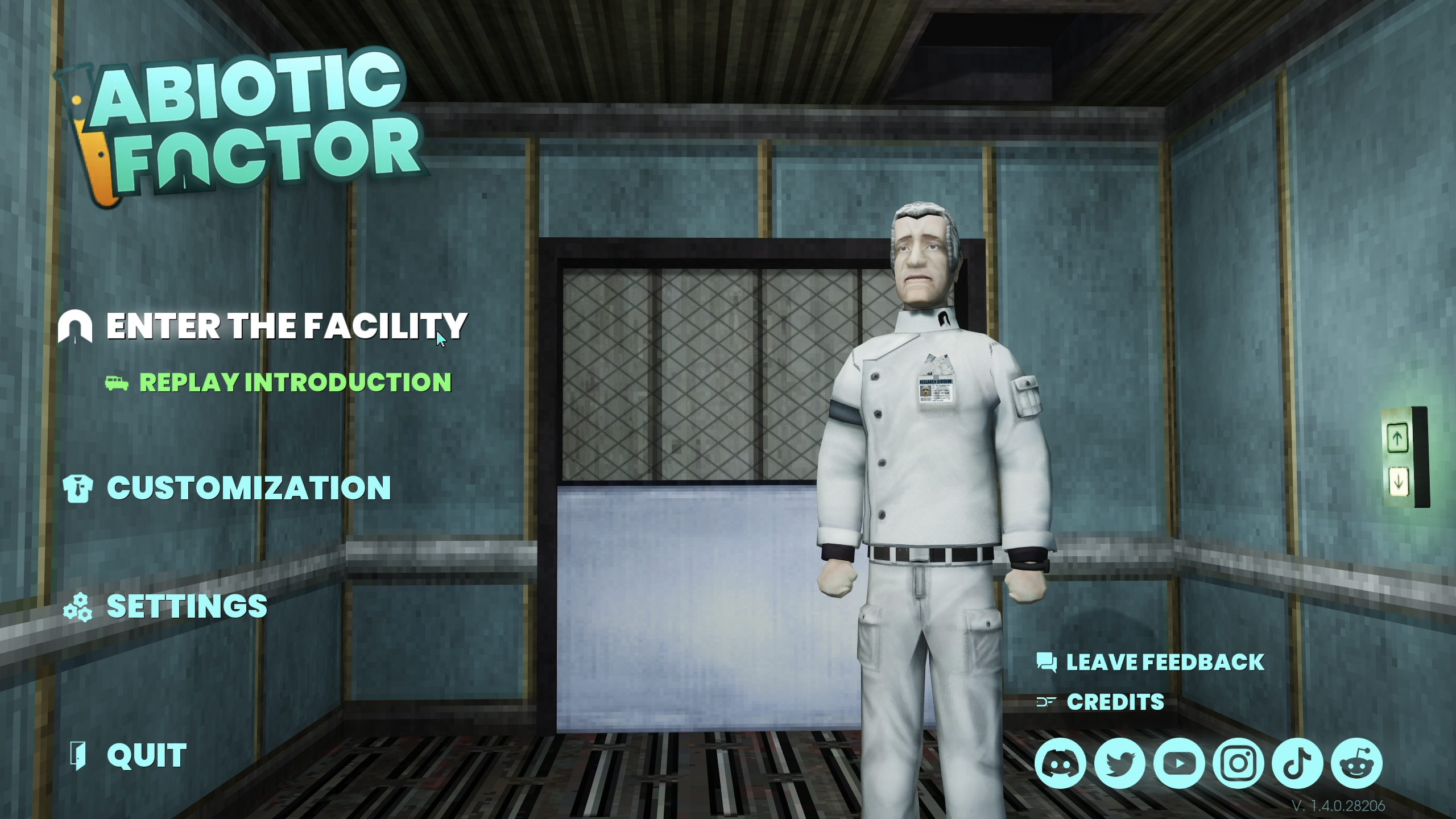
- Launch Abiotic Factor and click
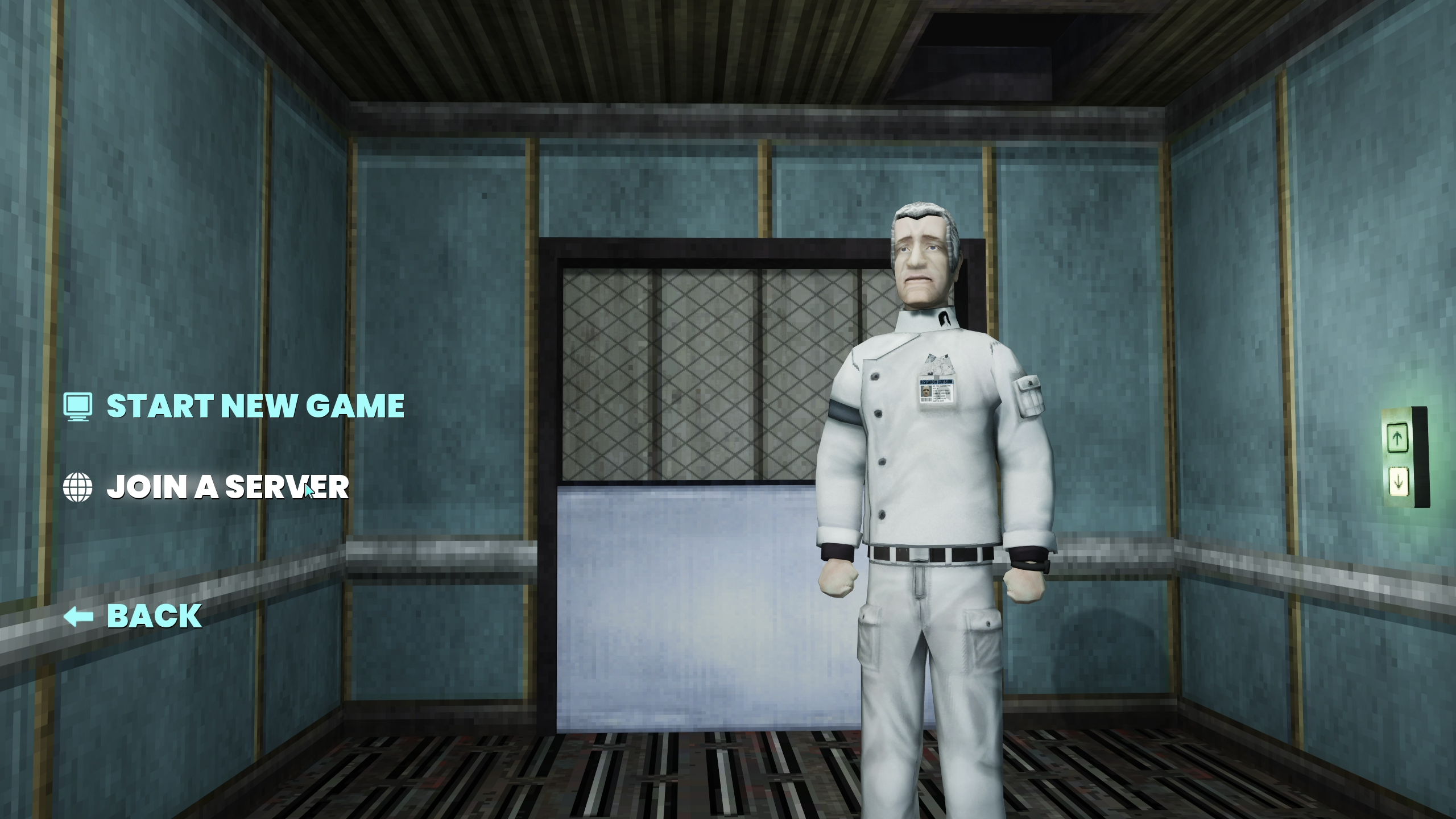
Enter the Facility. - Click
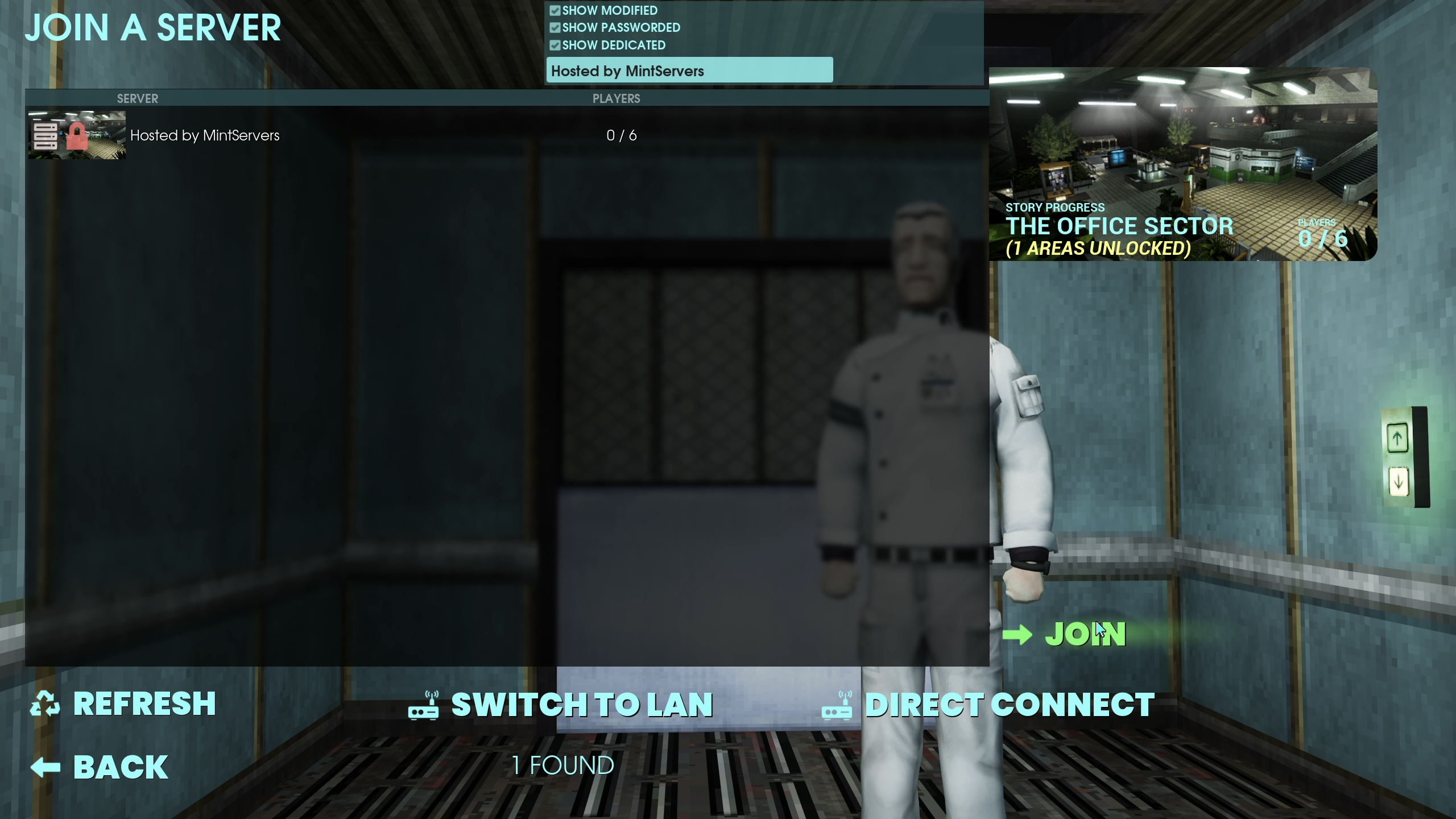
Join a Server. - Type your server's in-game name into the search bar, set any filters you need (such as password-protected or crossplay), and click Apply.
- Find your server in the results list and click Join.
- If your server is password-protected, enter the password when prompted.
Method 2: Direct Connect With A Lobby Code
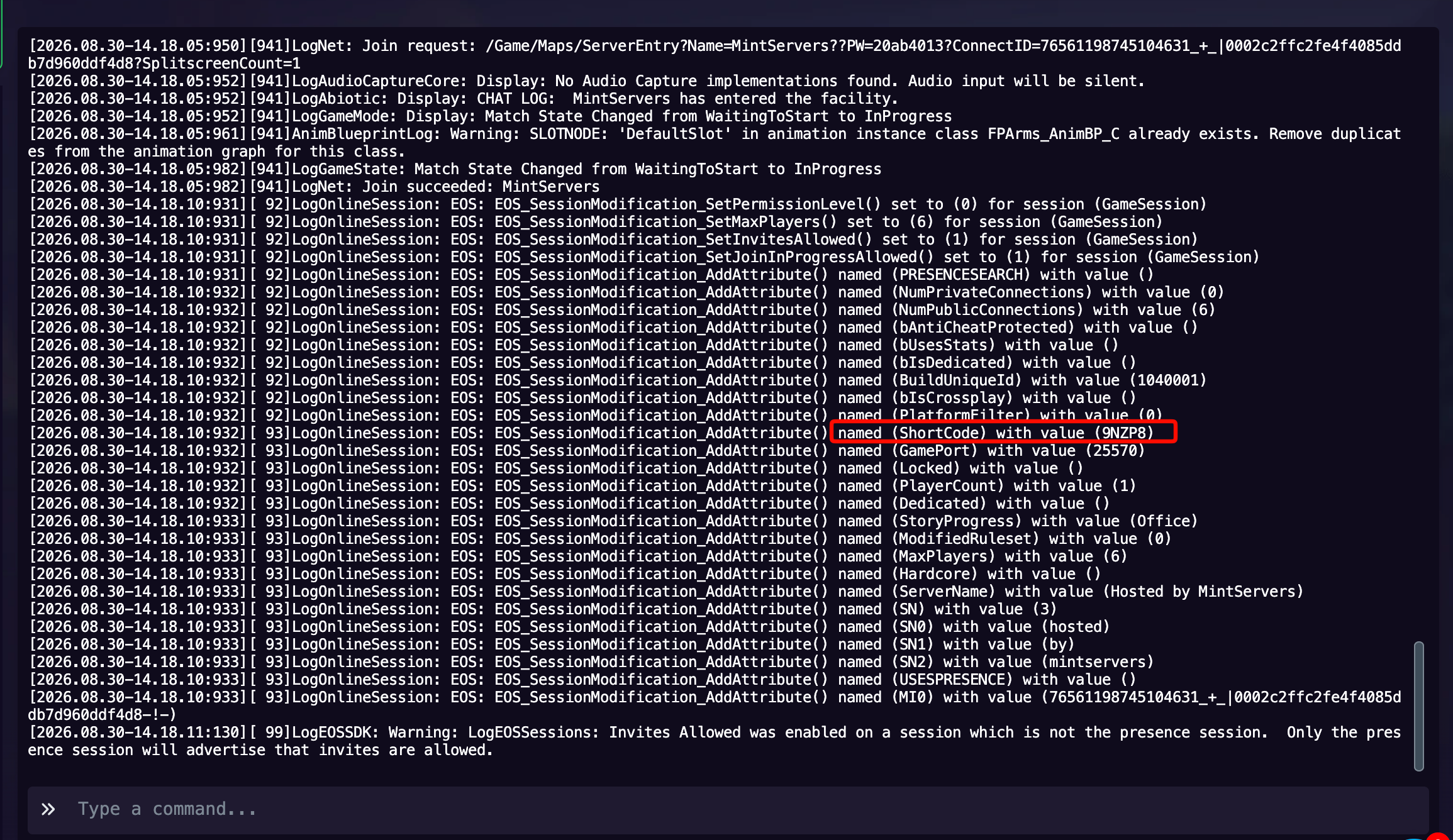
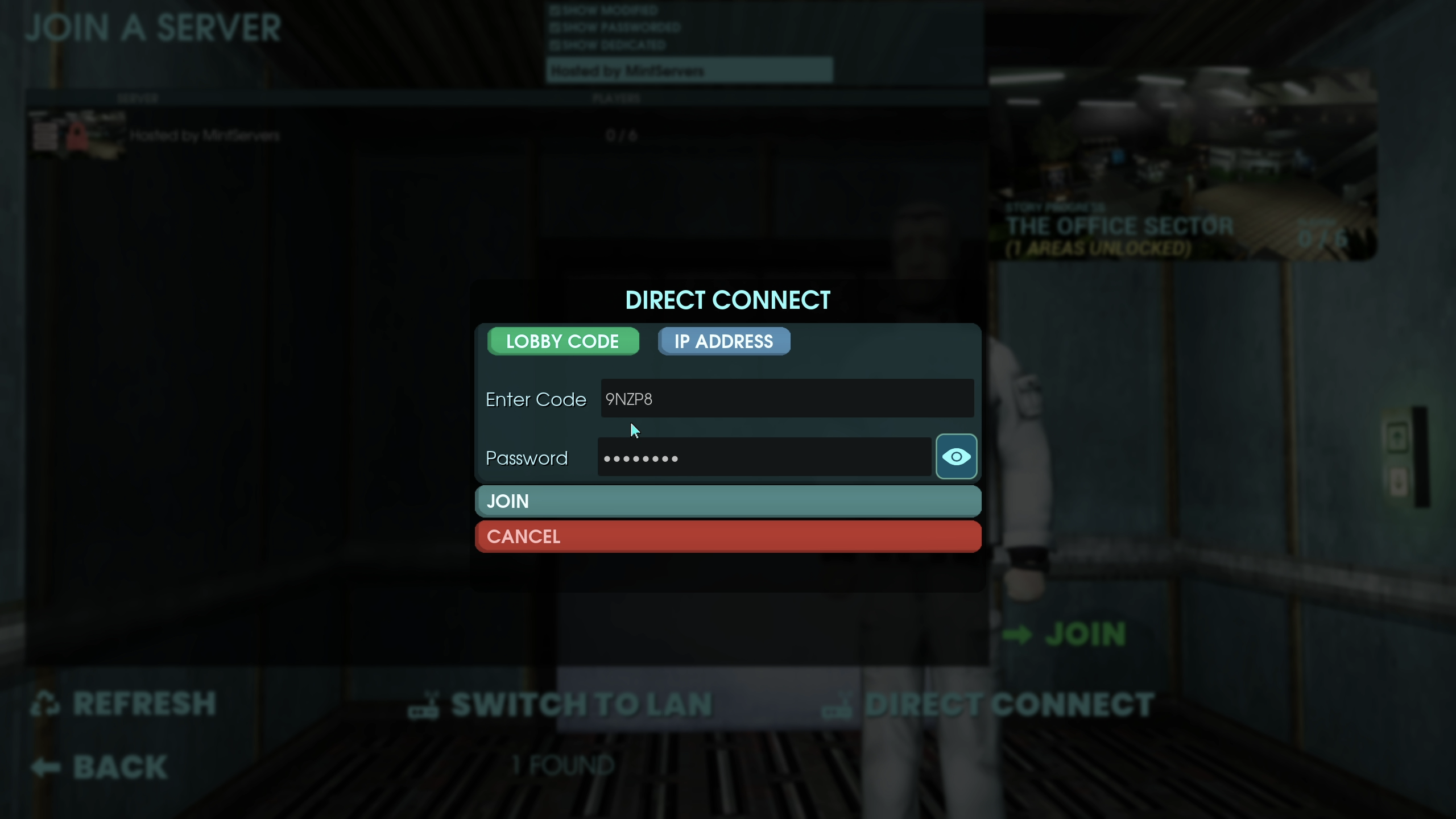
A Lobby Code is a short code tied to your server that skips the search entirely.
- Launch Abiotic Factor and click
Enter the Facility, thenJoin a Server. - Click
Direct Connect. - Select
Lobby Code. - Type in your server's Lobby Code and password (if one is set), then click Join.
Method 3: Direct Connect With An IP Address
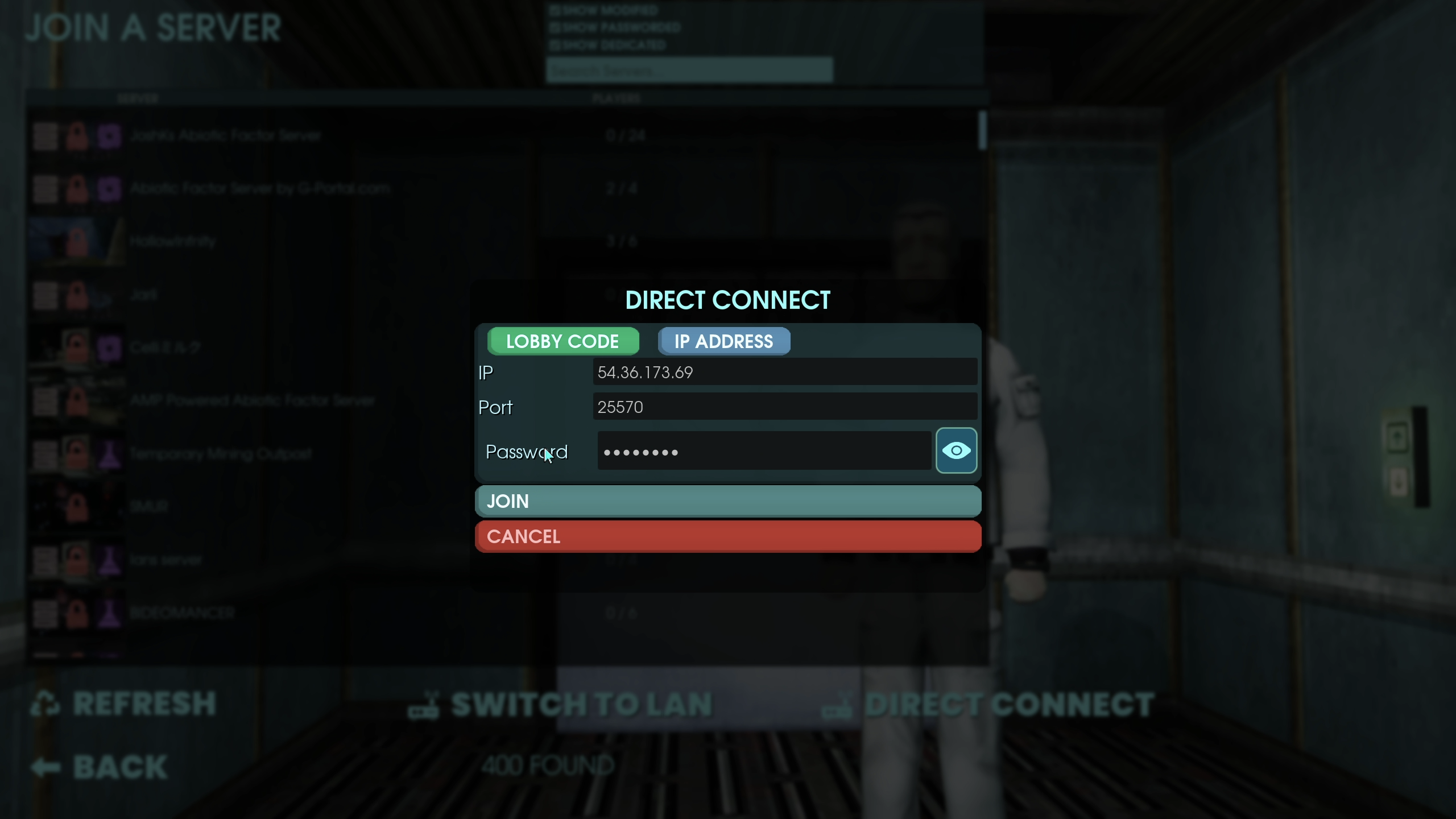
If you would rather connect using your server's IP address and port directly, this method works the same way as the Lobby Code option. Your server's IP address and port are shown at the top of your MintServers panel, next to your server name, in the format IP:port.
- Launch Abiotic Factor and click
Enter the Facility, thenJoin a Server. - Click
Direct Connect. - Select
IP Address. - Type in your server's IP address, port, and password (if one is set), then click Join.
🛠️ Troubleshooting Common Join Issues
Server not showing up in the browser:Double-check the spelling of the Server Name from your Game Settings tab, click Refresh, and let the list fully load before searching again.Lobby Code not working:Double-check that the code is typed exactly as provided, with no extra spaces, and that your server is fully started before trying again.Can't connect by IP:Confirm you are entering the IP address and port exactly as shown at the top of your panel, and that the server is fully started.Wrong password error:Check the Server Password in your Game Settings tab. Passwords are case-sensitive, so make sure Caps Lock is off and there are no extra spaces.
And that's it, you should be dropped straight into the facility with your team! If you're still having trouble connecting to your server, no worries! Just open a support ticket and our team will gladly help you get sorted out.