



 Assetto Corsa
Assetto Corsa servers are joined through the game's built-in server browser. This guide covers the standard way to find and connect to a server, whether it is a public pickup server or a private server your friends are running.
💡 Before You Join:
Assetto Corsa must be purchased and installed through Steam to join a multiplayer server. If the server you are joining uses custom cars, tracks, or skins, you will also need those same files installed locally first, or you will be blocked by a checksum error. See our guide on installing custom content if you are not sure what content a server requires.
How to Join a Server
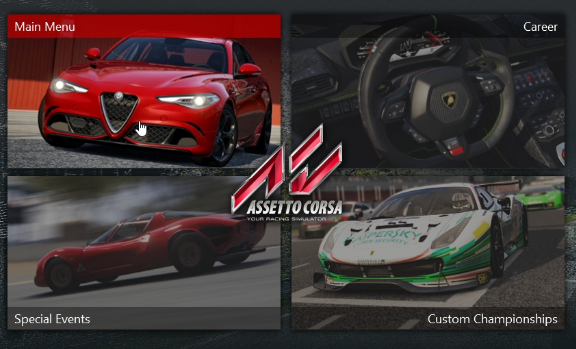
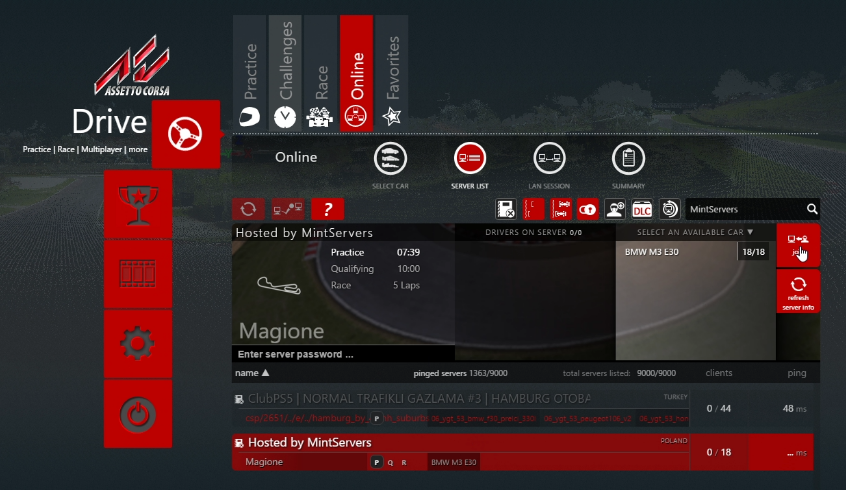
- Launch Assetto Corsa and click
Main Menu. - Click
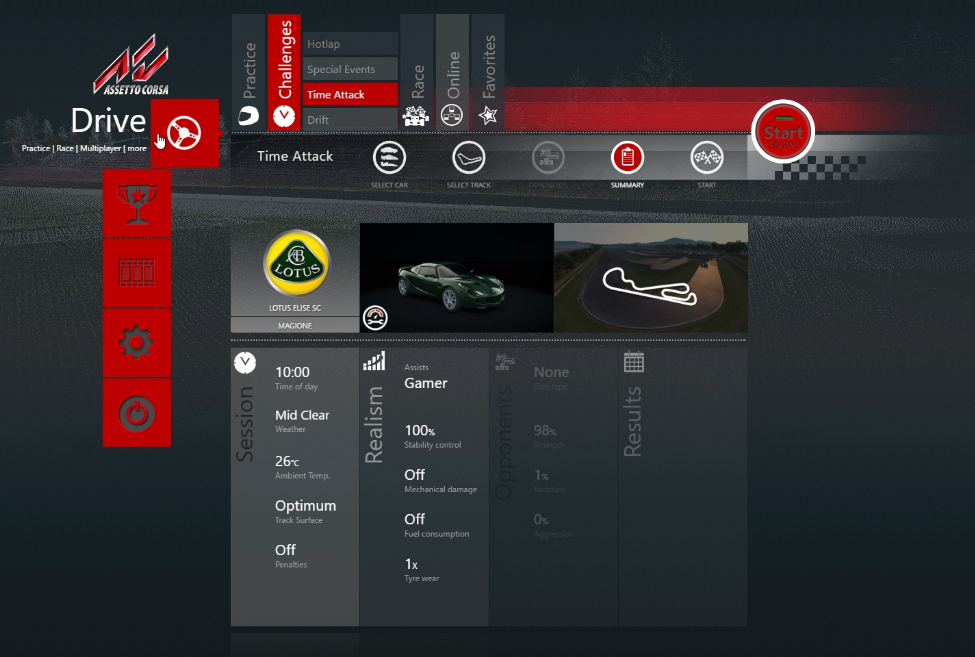
Drive. - Click
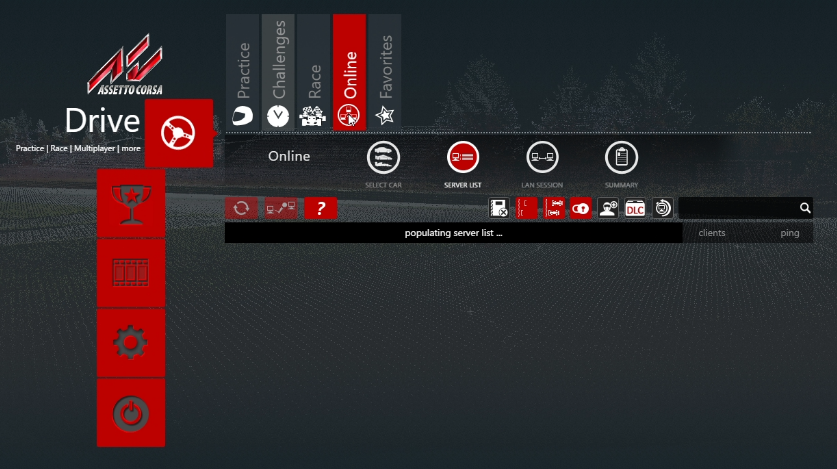
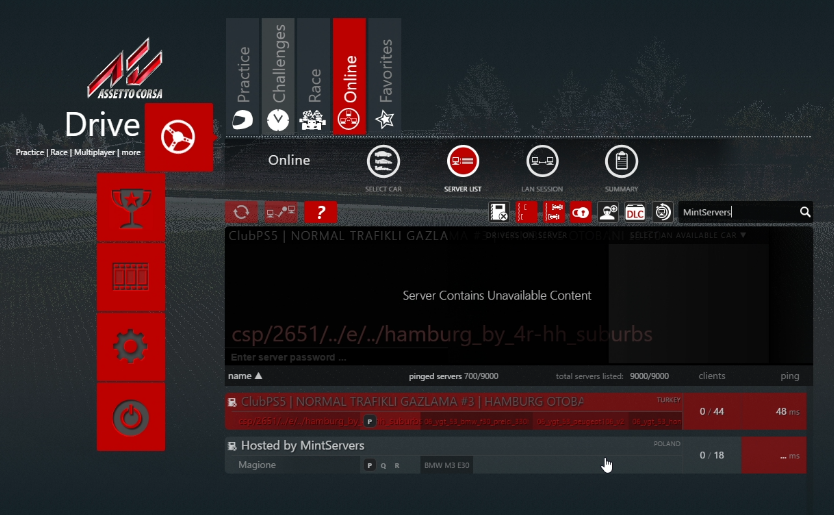
Online. - Type the server's name into the search box to find it in the list. You can also filter by track or by how many open slots a server has.
- Click on the server, then select an available car from the entry list.
- Click
Jointo connect.
💡 Pro Tip:
If a server does not show up in the list, try connecting by direct IP and port instead. Newly started servers can take a few minutes to register with the public server list, but a direct connection works immediately once the server is online.

Joining a Password-Protected or Locked Server
Some servers, especially league and private servers, restrict who can join:
- Password-protected servers will prompt you for a join password after you select a car. Ask the server owner for the password if you do not have it.
- Locked entry list servers only allow specific Steam accounts to join, tied to a Steam64 ID rather than a password. If you are not on the list, you will be rejected even with the correct password. Ask the server admin to add your Steam64 ID to the entry list.
🛠️ Troubleshooting Common Join Issues
Checksum error:Your local copy of a car or track does not match the version on the server. Reinstall the exact content the server owner provided and make sure you are not missing any files.No cars available to select:The server's entry list may be full, or you may not be on a locked entry list. Ask the server admin to confirm your Steam64 ID has an open slot.Server not showing in the list:Public visibility can take a few minutes after a server starts. Try a direct IP connection, or double-check the server name spelling in your search.Wrong password:Join passwords are case-sensitive. Confirm the exact password with the server owner, including capitalization.
Once you are connected, you will load into the current session automatically. If you are still having trouble getting into a server, no worries! Just open a support ticket and our team will gladly help you get sorted out.