



 ARK: Survival Evolved
There are two ways to connect to an unofficial ARK: Survival Evolved server: browsing for it in the in-game server list, or connecting directly with its IP address through Steam. This guide covers both, starting with the in-game browser, which is usually the easiest way to find your server the first time.
Step 1: Open The Server Browser
From the ARK: Survival Evolved main menu, click Join ARK. This opens the server browser, which lists every session currently searching for players.

Step 2: Filter For Unofficial Servers
By default, the browser searches official servers only, so your server will not show up until you change this.
- Set the
Session Filterdropdown toUnofficial. - If your server uses a password, also enable
Show Password Protected, otherwise it may be hidden from the results. - You can leave the map and mode filters on
Allunless you want to narrow the list further.
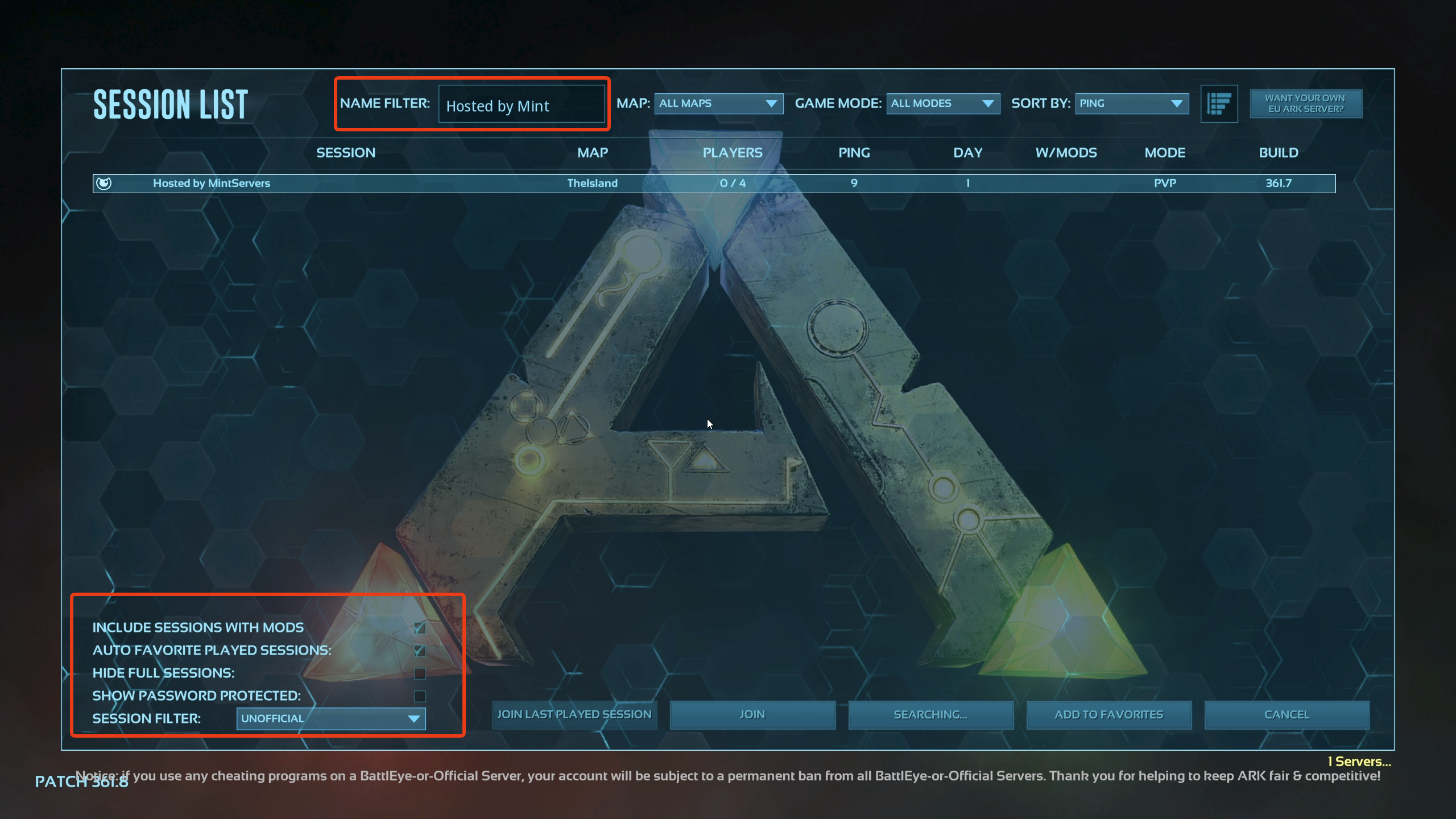
Show Password Protected on before assuming something is wrong.
Step 3: Search For Your Server By Name
With hundreds of unofficial servers online at once, use the search box to jump straight to yours.
- Type your server's name into the
Name Filter/ search field at the top or bottom of the browser. - Wait for the list to refresh, then select your server once it appears.
- Click
Join. - If your server has a join password set, enter it when prompted.
open YOUR.SERVER.IP:GAMEPORT to connect directly, skipping the browser entirely. Use the Game Port here, not the Query Port, mixing the two up is one of the most common connection mistakes.
Alternative: Join By IP Through Steam
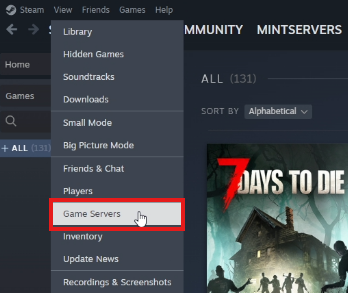
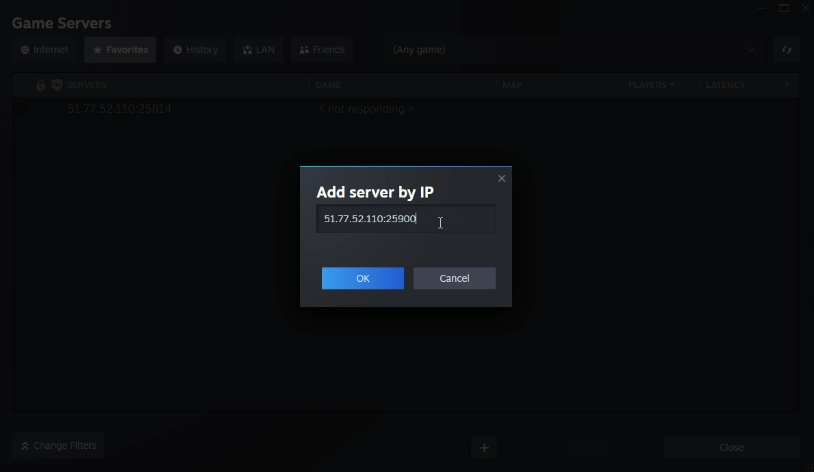
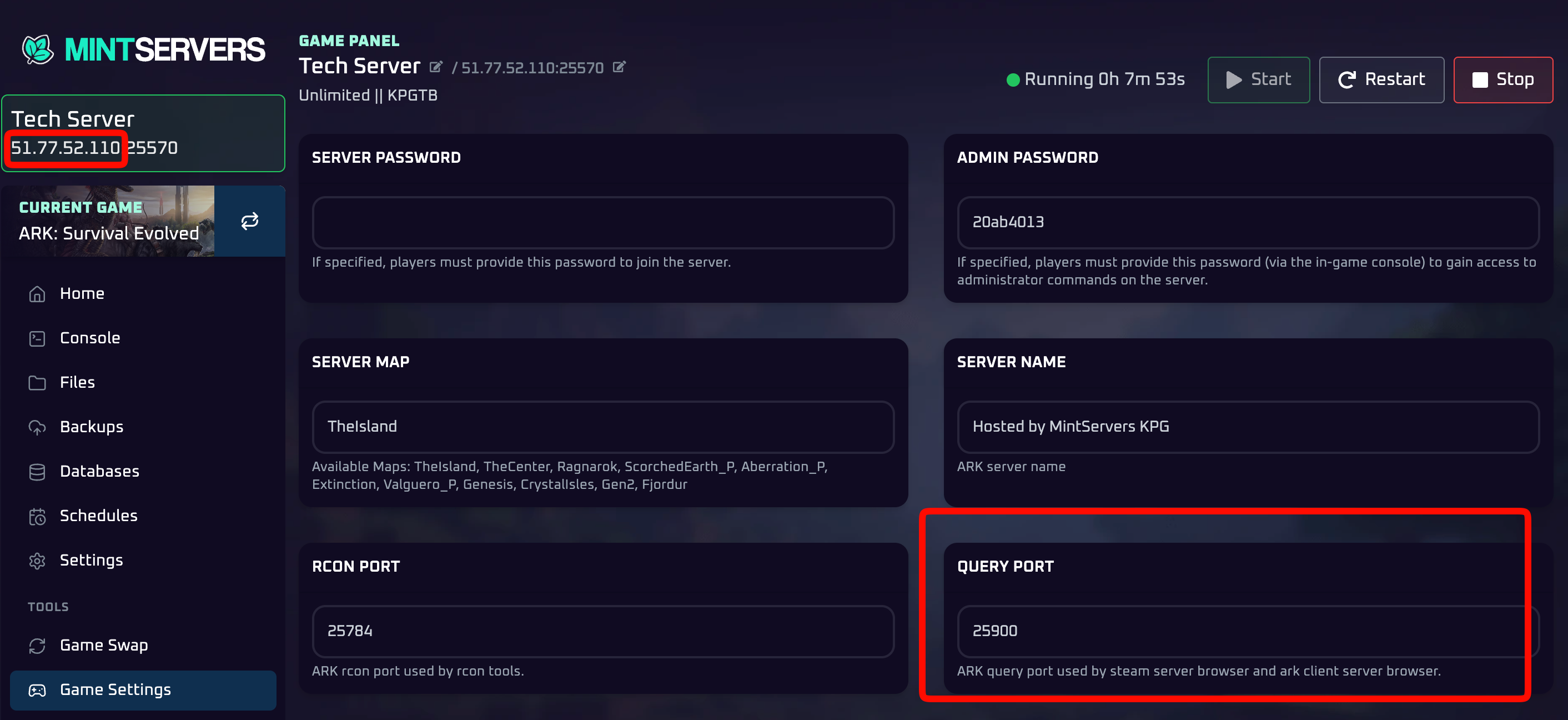
If you already know your server's IP address and Query Port, or the in-game browser just isn't cooperating, you can add your server directly through Steam's own server list and connect from there instead.
- Open Steam.
- Click
View, thenGame Servers. - Select the
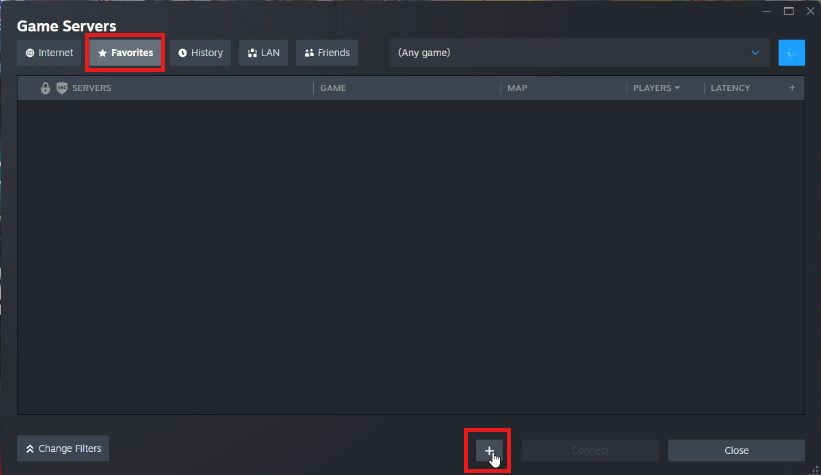
Favoritestab. - Click the
+button to add a server. - Type your server's IP address and Query Port, not the Game Port, into the box.
- Click
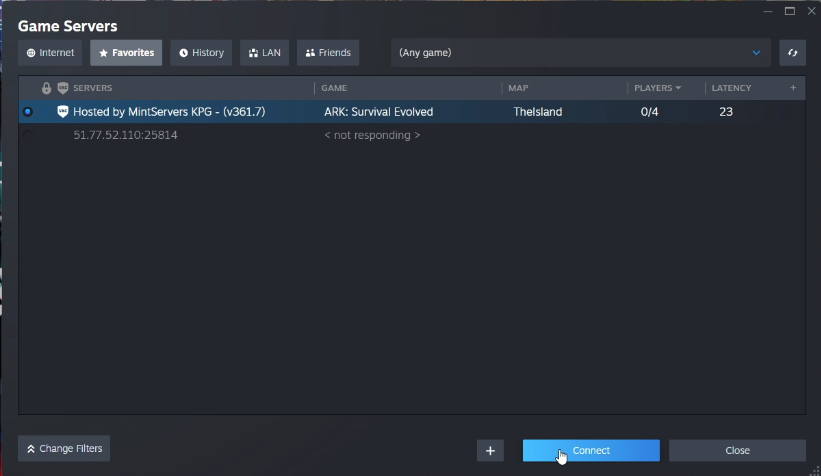
OK. - Select your server from the list and click
Connect.
🛠️ Troubleshooting Common Connection Issues
Server isn't showing up in the in-game list:Confirm the Session Filter is set to Unofficial, enable Show Password Protected, and double-check the server is actually Running on your MintServers panel.Stuck on "Searching for sessions...":This is a common hiccup on the Steam server browser. Give it a minute, or back out to the main menu and reopen Join ARK.Added to Steam Favorites but it shows "Not Responding":You've almost certainly entered the Game Port instead of the Query Port, or the reverse. Double-check which port you used against the note above.Connection times out or kicks you back to the menu:The server may still be finishing startup. Wait a minute after starting it on the panel before trying to join.Wrong password error:Make sure you are entering the player join password rather than the server's admin password, these are two different values.
Once you're in, you should spawn on the beach ready to start surviving! If you're still having trouble getting your server to show up or connect, no worries! Just open a support ticket and our team will gladly help you get it sorted out.