



 Stationeers
Ready to jump in? Once your Stationeers server is running, there are two ways to connect: search for it by name in the in-game server list, or connect directly with your server's IP address. This guide covers both.
Joining From The Server List
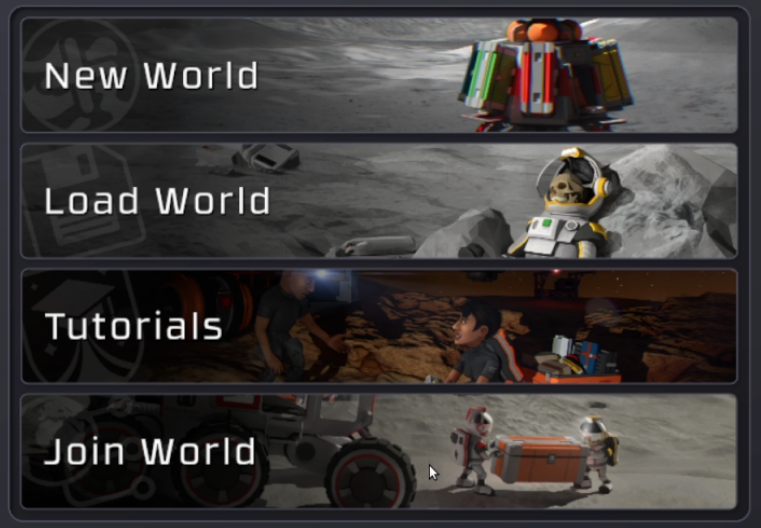
- Launch Stationeers and click Join World on the main menu.
- Type your server name into the search box at the top left of the server list and press Enter. Unless you have changed it, the default name is
Hosted by MintServers. - Select your server from the list.
- Click Join World in the bottom-right corner.
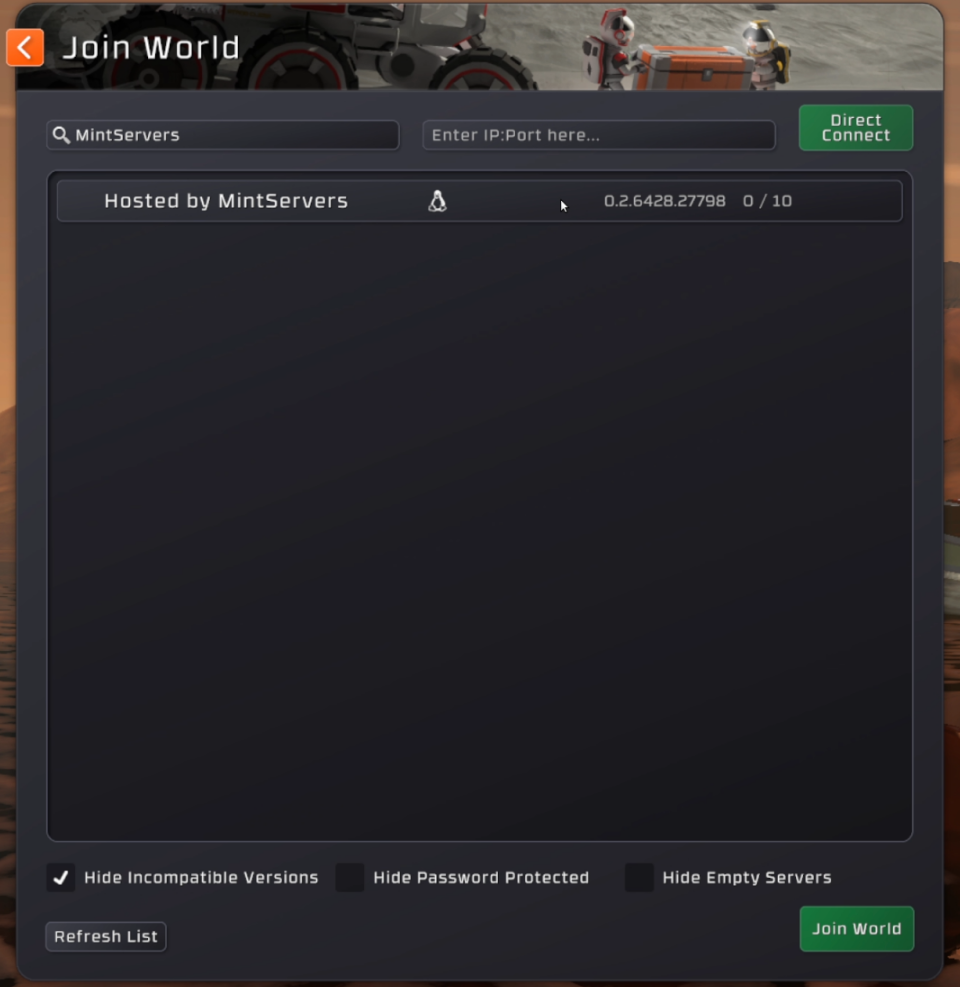
Every MintServers Stationeers server starts with the same default name, so it is a good idea to give yours a unique Server Name in Game Settings. That makes it much easier to find. See our Stationeers Configuration guide for how.

Joining Via IP
If you cannot find your server in the list, or you would rather skip the search, you can connect directly using its IP address.
- On your MintServers panel, find your server's address at the top of the page, right next to your server name. It looks like
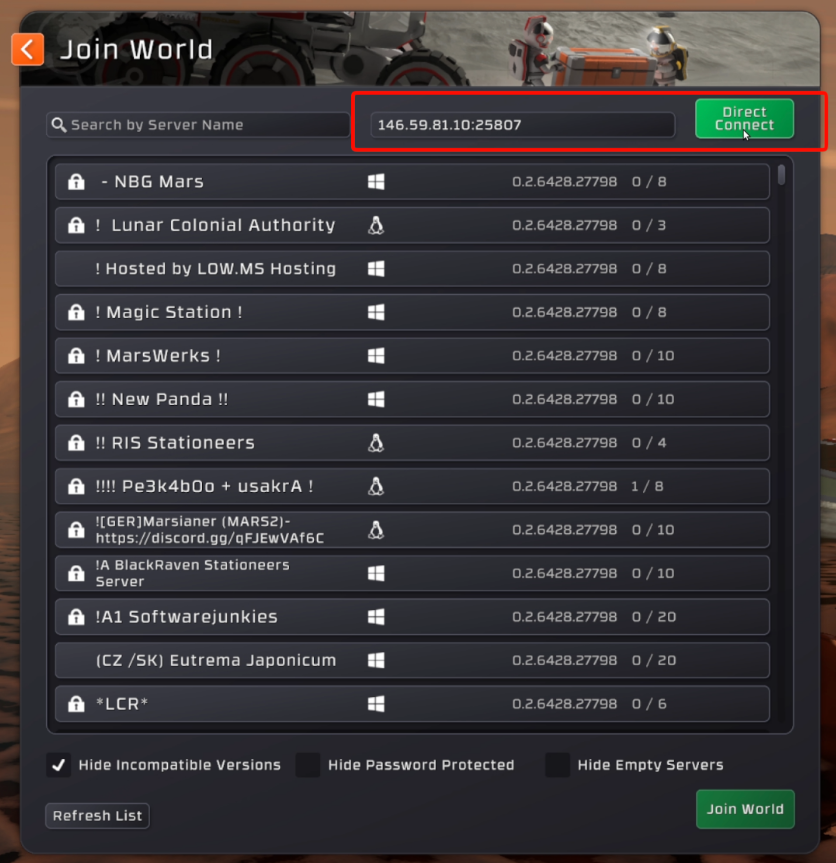
123.45.67.89:12345. Copy the whole thing, including the port after the colon. - In Stationeers, click Join World on the main menu.
- Paste your server's address into the IP box at the top of the server list.
- Click the green Connect button next to the box.
🛠️ Troubleshooting Joining Issues
Server not in the list:Check the three filter boxes at the bottom of the Join World screen (Hide Incompatible Versions, Hide Password Protected, and Hide Empty Servers). Any of them can hide your server. Also make sure Server Visible is turned on in Game Settings, or simply join by IP instead.Version mismatch:Your game needs to be on the same version of Stationeers as the server. Update your game through Steam and try again. If the Beta Branch setting in Game Settings is not set topublic (default), your game needs to be on that same beta branch.Cannot connect by IP:Double-check that the address is copied exactly as shown on your panel, including the port, with no spaces, and that the server is running.Password prompt:If you set a Server Password in Game Settings, every player will need it to join.
Once you are in, you are ready to start building! If you still cannot connect after trying the steps above, no worries! Just open a support ticket and our team will gladly jump in and take a look.