



 Stardew Valley
Connecting to your Stardew Valley server takes less than a minute once you know where to look. This guide covers finding your server's connection details and joining through the in-game Co-op menu.
Step 1: Find Your Server's Connection Address
Your server's connection address is shown right on your MintServers panel - you'll need it to connect.
01
Log into your MintServers dashboard and open your Stardew Valley game panel.
02
On the Console tab, note the address shown near the top of the page (formatted as
address:port, e.g. 15.235.165.191:25916).
Step 2: Join From the Co-op Menu
With your connection details in hand, joining is just a few clicks in-game.
01
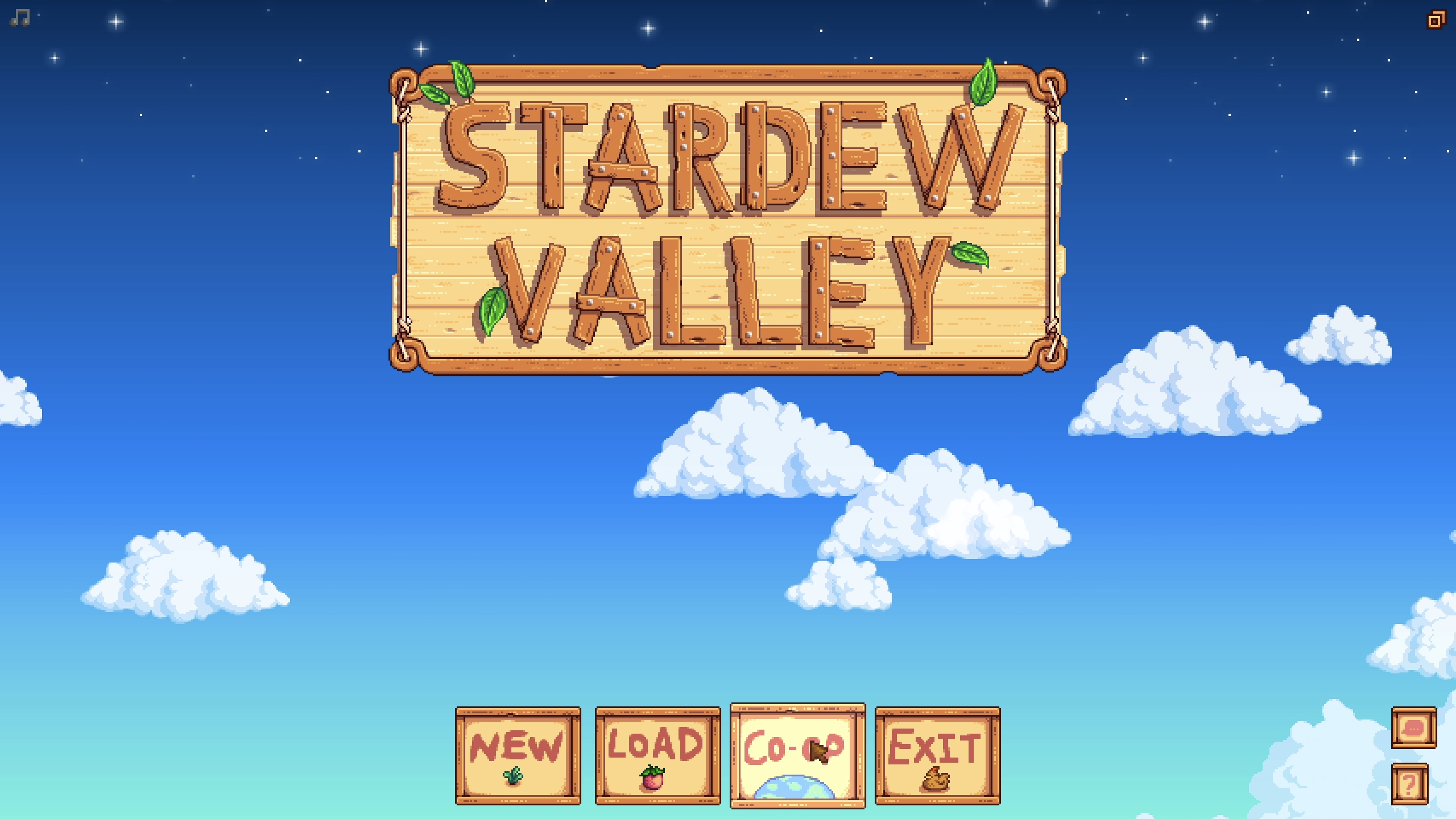
Launch Stardew Valley and choose Co-op from the title screen instead of New or Load.
02
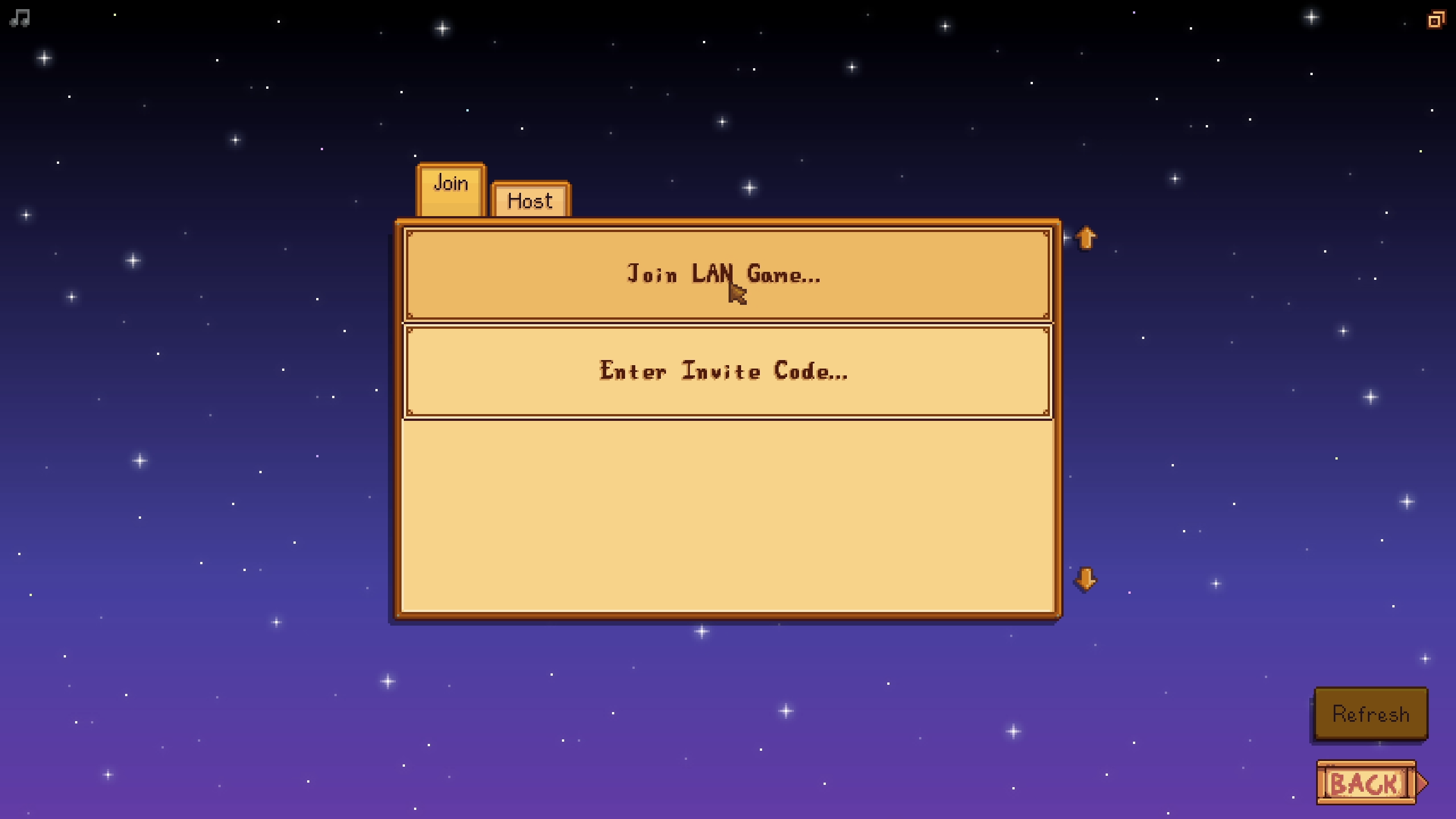
Click Join LAN Game.
03
Enter your server's connection address from Step 1 (the full 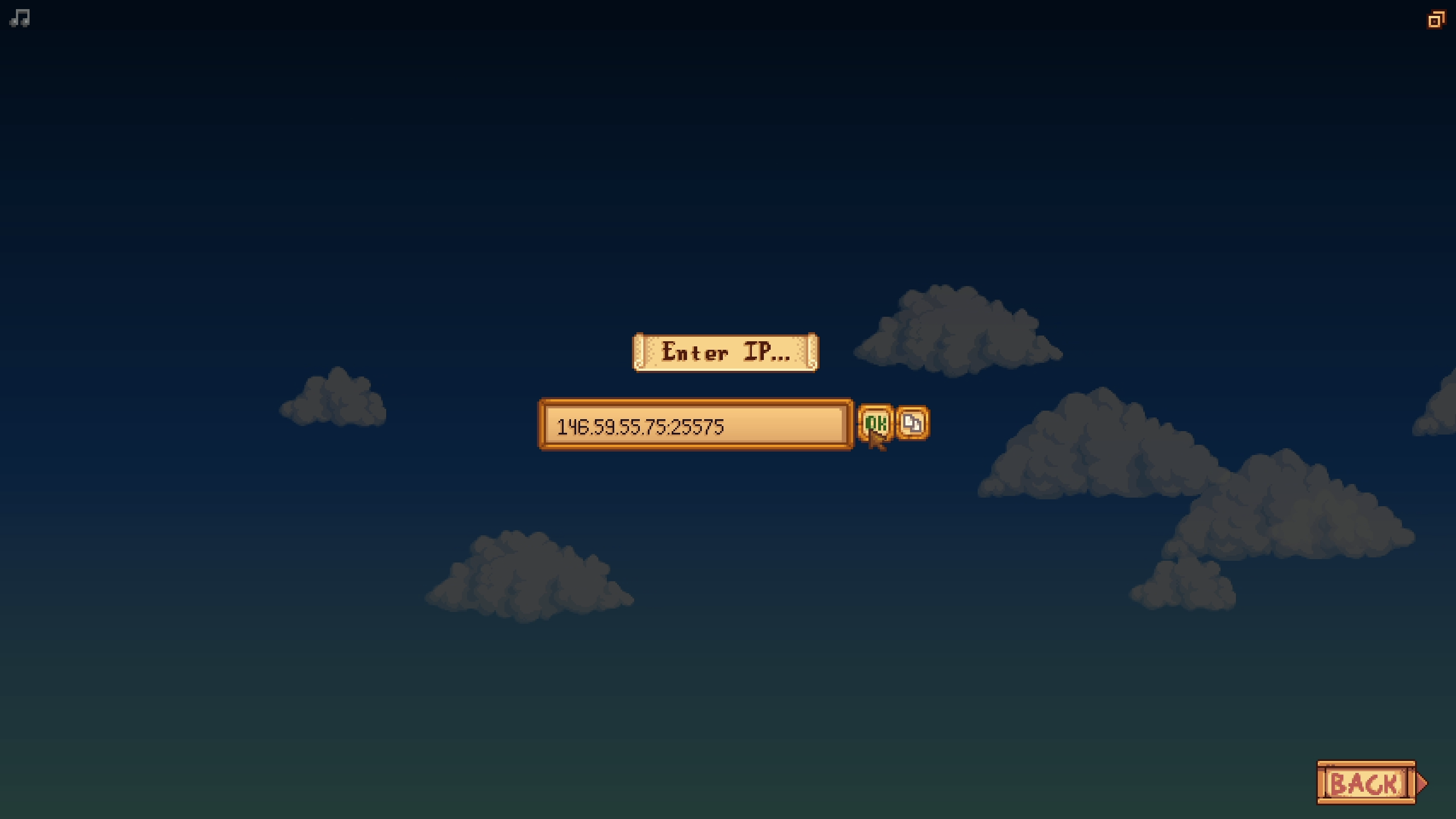
address:port value) and click OK.
🛠️ Troubleshooting Connection Issues
Can't connectDouble-check you copied the full address exactly, including the colon and port number, with no extra spaces.
Connection times outMake sure your server shows as fully Started on the panel - a stopped or still-starting server won't accept connections.
Still stuckStardew Valley's direct-IP multiplayer runs over UDP, so check that your antivirus or router isn't blocking outbound UDP traffic.
Everyone connecting needs their own legitimate copy of Stardew Valley on PC (Steam or GOG).
That's it - you'll land right on the farm. If you're bringing over an existing single-player save instead of starting fresh, check out our Upload an Existing Save guide first.
Still stuck?
Our team is happy to help. Open a ticket through the live chat button in the bottom-right corner of our website, or join our Discord and open a ticket there.
Join our Discord