



 MORDHAU
Ready to jump into the fray on your own MORDHAU server? Whether you are hopping in for a quick duel or a full frontline battle, connecting only takes a minute once you know where to look. This guide covers the standard in-game Server Browser method, plus a more reliable direct-connect option for when the browser search is not cooperating.
Step 1: Join Using The Server Browser
This is the quickest way to connect if you already know your server's name.
- Launch MORDHAU.
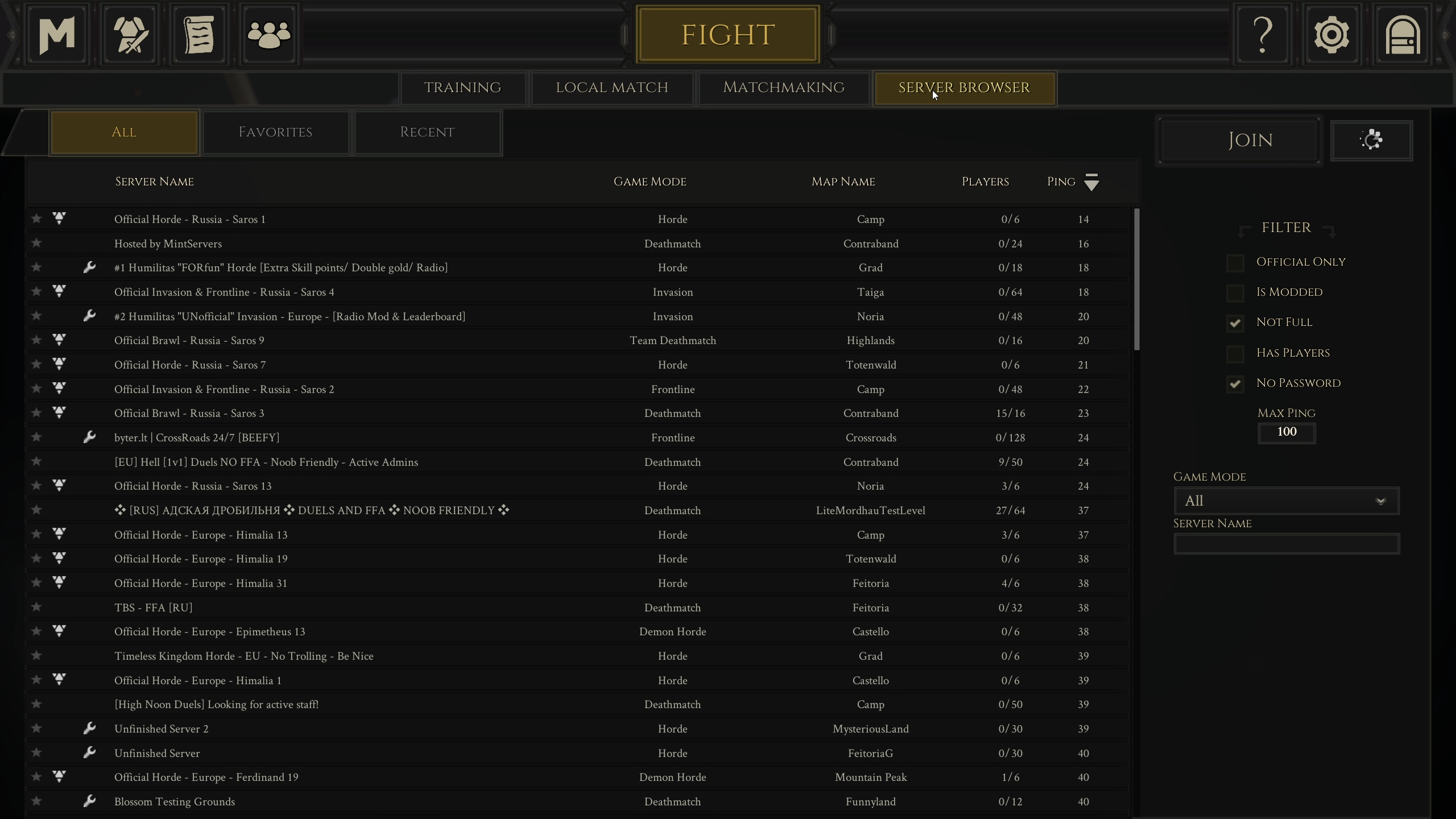
- From the main menu, click
FIGHT, then selectServer Browser. - In the Game Mode dropdown, make sure
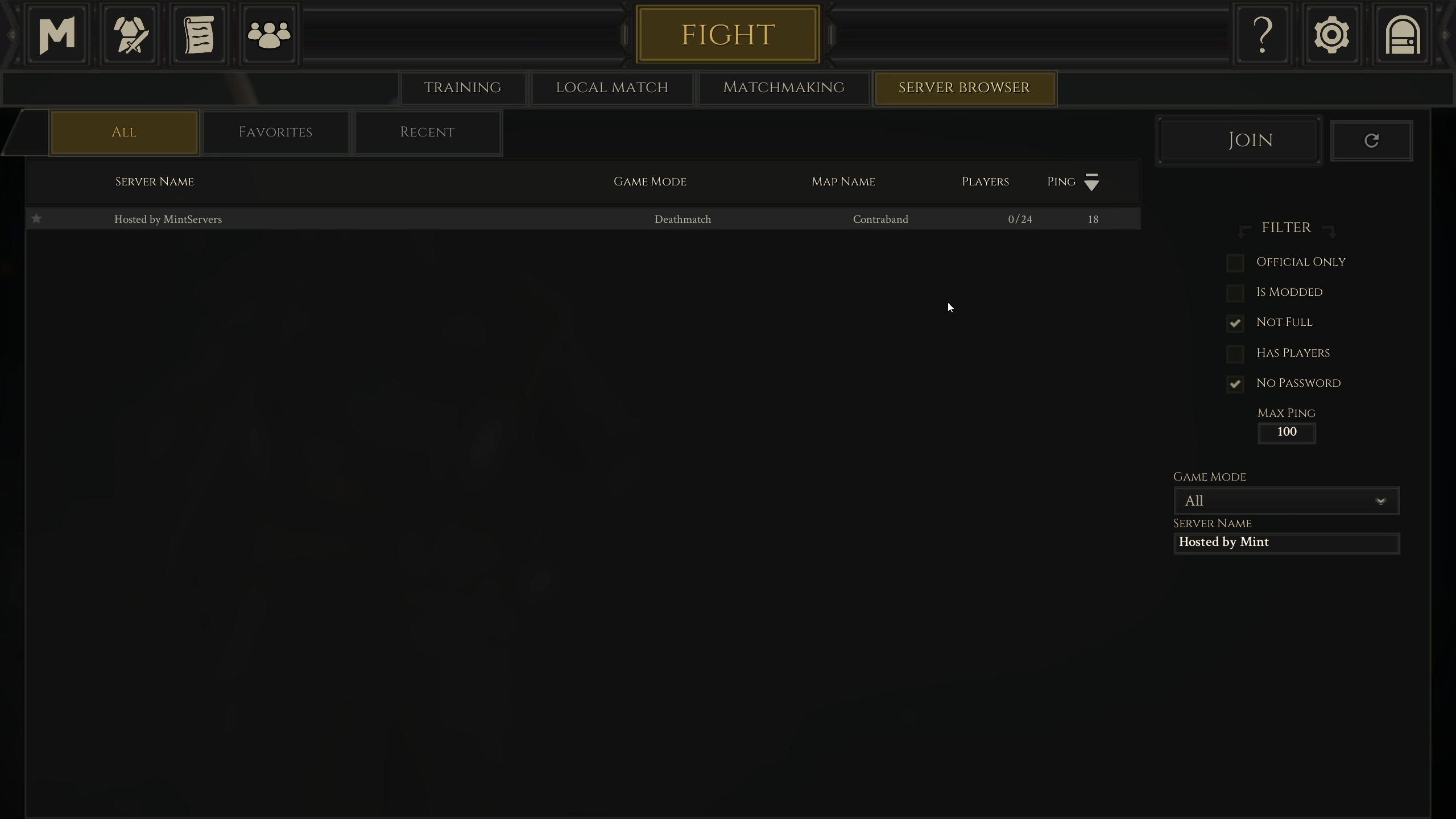
ALLis selected. Filters left on can hide your server from the search results entirely. - Type your Server Name into the search field on the right side of the browser.
- Select your server once it appears in the list, then click
JOIN. - If your server is password-protected, enter the password when prompted.
Step 2: Connect Directly By IP (More Reliable)
Searching by name is not always consistent, especially right after a restart or a name change. Connecting directly to your server's IP address and port skips the search entirely and will always find your server if it is online.
- Log into your MintServers panel and open the Console tab for your server.
- Note the IP address and Port shown there.
- Launch MORDHAU and load into the main menu.
- Press the tilde key (
~) to open the in-game console. - Type the following command, replacing the example values with your own server's IP and Port:
- Press Enter. MORDHAU will connect you straight to the server.
Troubleshooting
Can't find the server in the browser:Double-check the Game Mode dropdown is set to ALL, clear any other active filters, and refresh the list. If you recently changed your server's name in the panel, restart the server for the new name to show up.Server name search is unreliable:Use the direct IP connect method in Step 2 instead. It does not depend on the browser's search index.Asked for a password unexpectedly:Your server has a password set. You can find or change it from your MintServers panel.Connection times out:Confirm the server is actually running on your MintServers panel, and that you copied the IP and Port exactly as shown on the Console tab.
And that is it, you are ready to storm the battlefield! If you are still having trouble connecting to your server, no worries! Just open a support ticket and our team will gladly jump in and get you sorted out.