


 Voyagers of Nera
Your Voyagers of Nera server is up and running, and now it is time to jump in! There are two ways to connect: finding your server in the in-game server browser, or connecting directly with your server's IP address and port.
This guide walks through both methods step by step.
Make sure your server is online and shows as Started in your MintServers game panel. If you have set a Server Password, players will need it to join. To set or change one, see How to Configure Your Voyagers of Nera Server.
Joining From the Server Browser
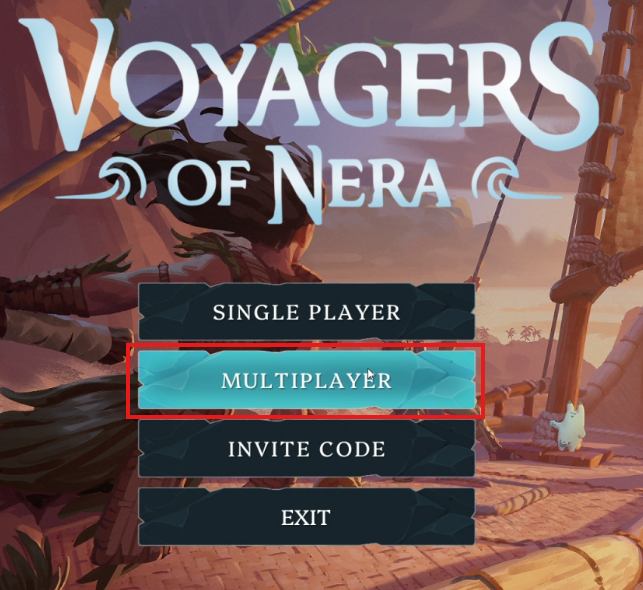
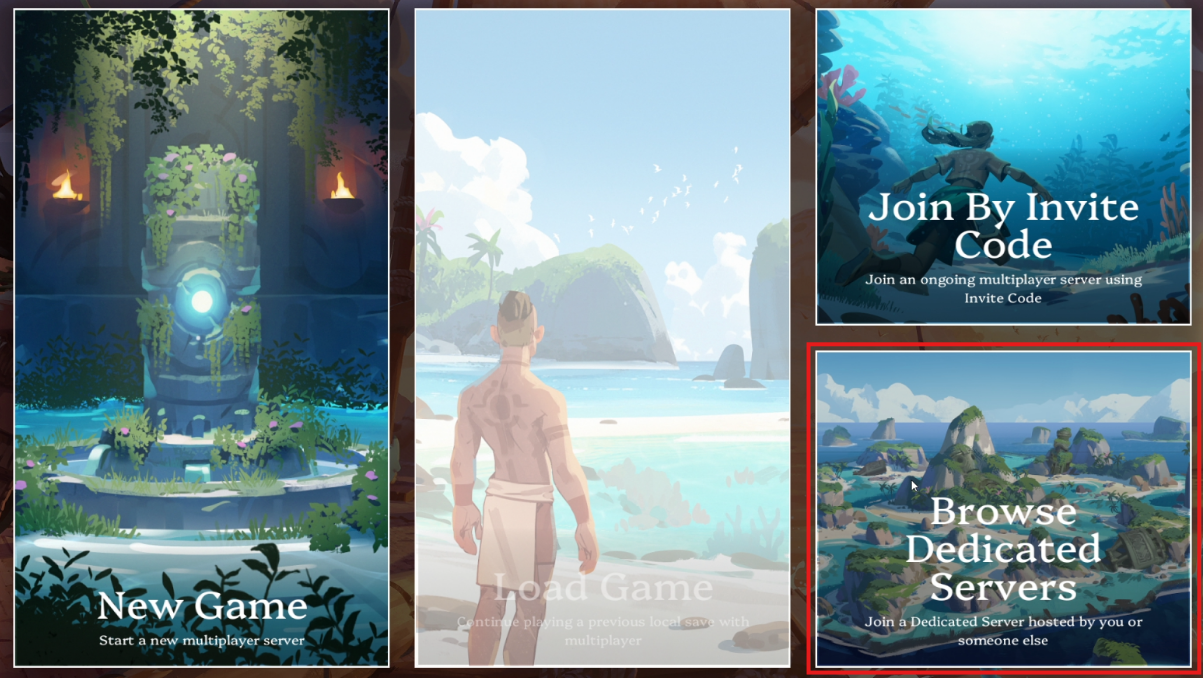
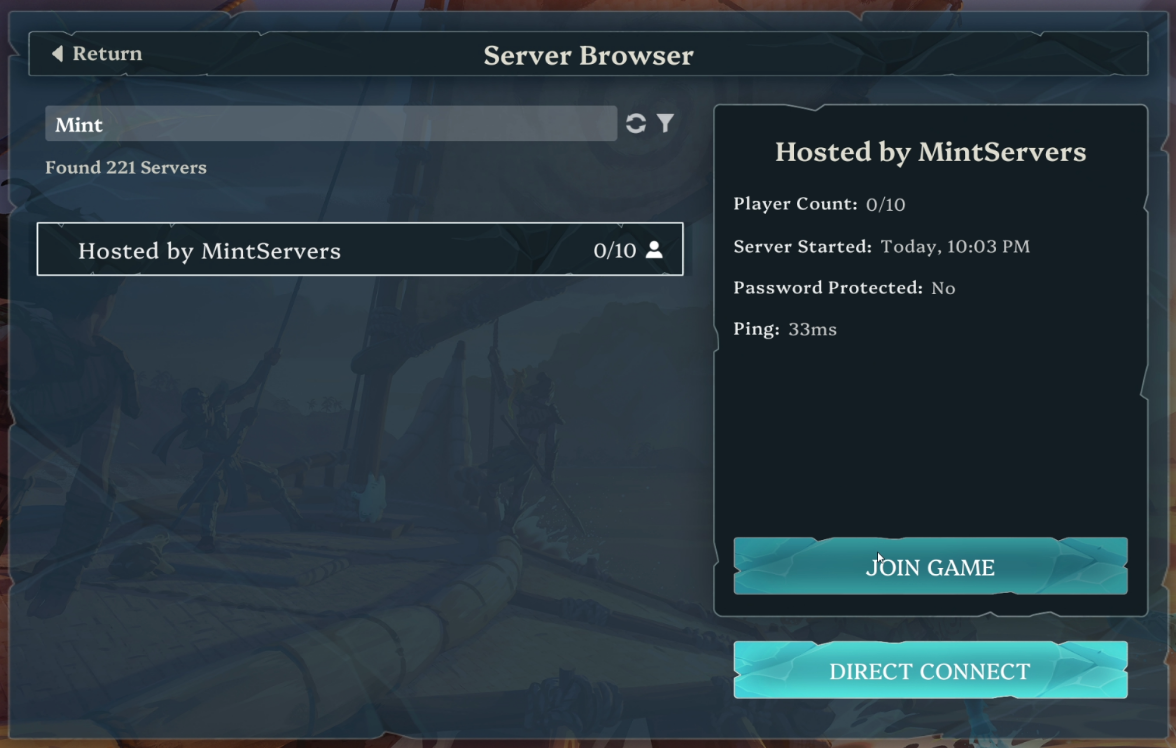
Many servers use the default name
Hosted by MintServers, which makes yours hard to spot. Give your server a short and unique name from the Game Settings page and it will be much easier for your friends to find.
Joining With Direct Connect
Direct Connect skips the server list completely, which makes it a great option if you cannot find your server in the browser.
123.45.67.89:25000.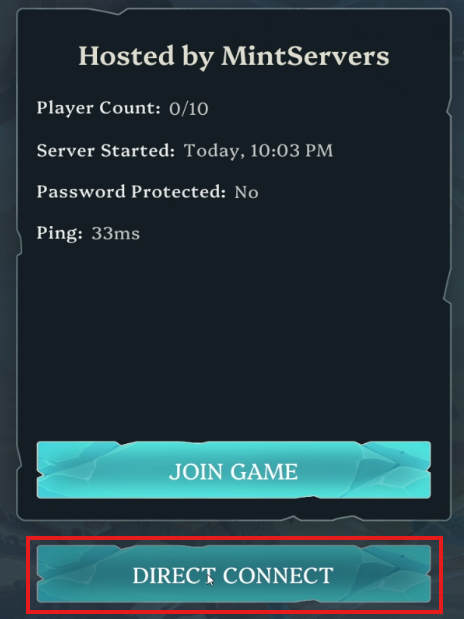
IP:PORT. If your server has a password, enter it in the Password box.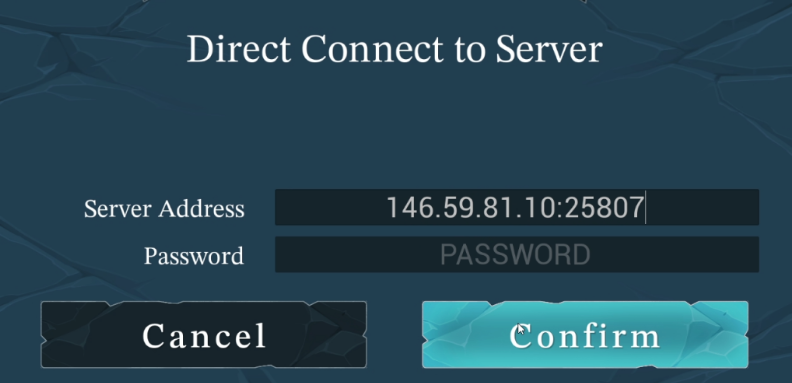
🛠️ Troubleshooting Connection Issues
I cannot find my server in the list
Search for the exact Server Name, or use Direct Connect with your IP address and port instead.
Direct Connect will not accept my address
Make sure you typed the IP address and port together with a colon in between, like IP:PORT, and that there are no extra spaces.
The password is rejected
Enter the password exactly as it is set on the Game Settings page. Clear the field there and save if you want the server to be public.
The server is full
Servers allow up to 10 players at once. You can check the current player count next to the server in the server browser.
That is all there is to it, so grab your crew and set sail!
Still stuck?
Our team is happy to help. Open a ticket through the live chat button in the bottom-right corner of our website, or join our Discord and open a ticket there.
Join our Discord