



 Unturned
 is a popular zombie survival sandbox game that is perfect for multiplayer adventures with friends. Whether you are hosting your own Unturned server for survival gameplay or connecting to an existing one, joining your server is incredibly simple using the built-in Server Code feature.
This guide will walk you through accessing your hosted server code and connecting to start your zombie survival adventure. Let us get your squad connected!
Step 1: Access Your Server Code
Before launching the game, you will need to grab your unique Server Code from your server console.
https://mintservers.com/dashboard and log into your account.90273327014179844).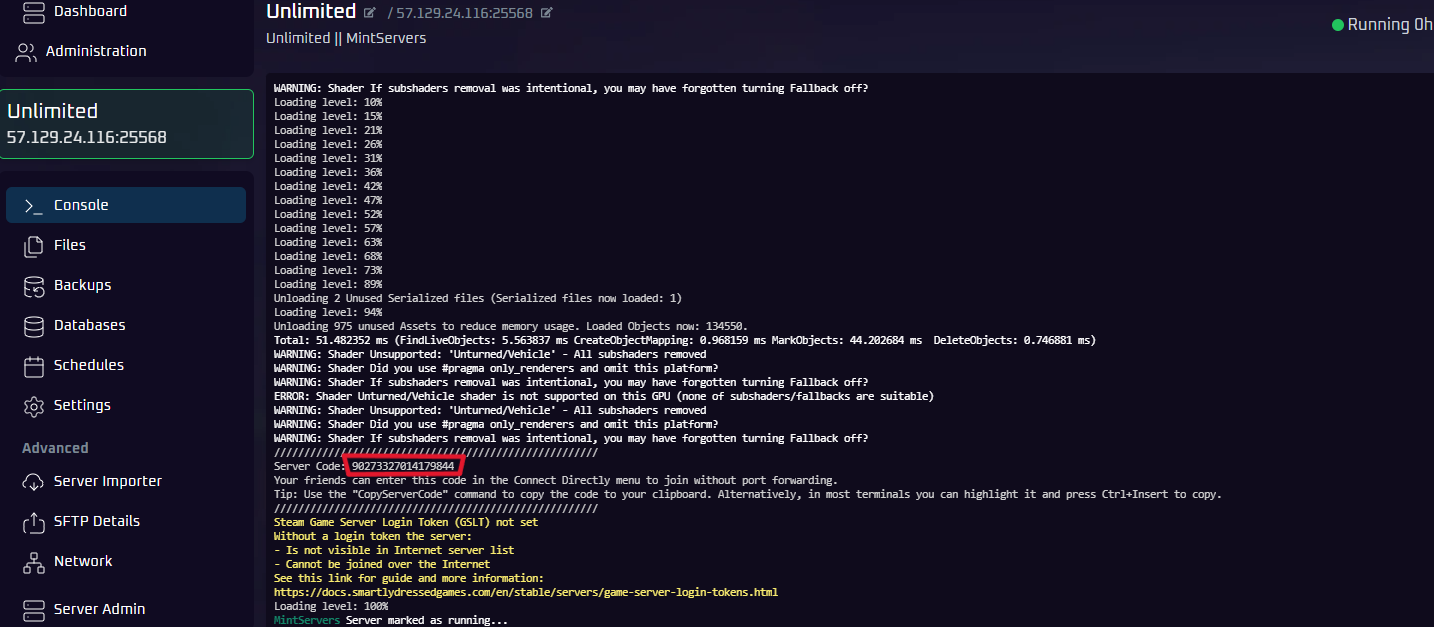

Step 2: Launch Unturned and Select Play


Step 3: Select Connect Directly
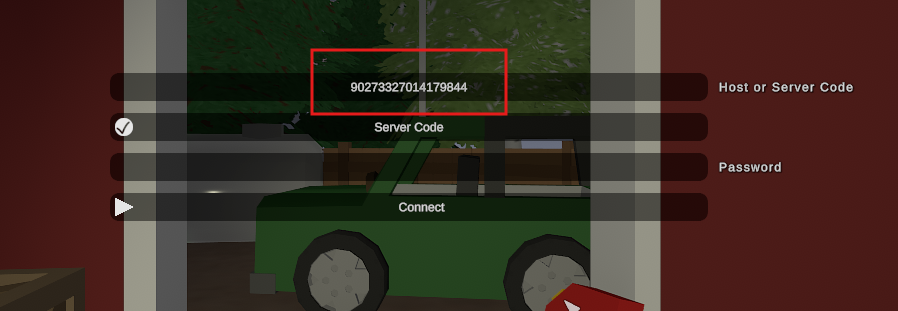
From the multiplayer menu, select Connect Directly to access the server code connection interface.

Step 4: Enter Server Code and Connect
🛠️ Troubleshooting Connection Issues
Server Offline
Ensure your server is actually running and shows as "Online" in the MintServers game panel before trying to connect.
Typo in Code
Double-check that you copied the correct Server Code and didn't accidentally include any spaces or letters. Make sure you are putting it in the "Host Or Server Code" field!
Version Mismatch
Verify you have the latest version of Unturned installed through Steam and that it matches your server's version.
Server Full
Check that the server is not full or temporarily unavailable due to a restart.
Still stuck?
Our team is happy to help. Open a ticket through the live chat button in the bottom-right corner of our website, or join our Discord and open a ticket there.
Join our Discord