



 Starbound
Ready to beam down to your new galaxy? Connecting to your Starbound server only takes a minute once you know where to find your connection details. This guide walks you through finding your server address and joining through the in-game Multiplayer menu.
💡 Before You Join:
Make sure your server has finished its first boot before trying to connect. The very first startup downloads several gigabytes of server files, so give it a few minutes before jumping in.
Step 1: Find Your Server Address
First, you will need your server's unique connection address.
- Log into your MintServers panel and select your Starbound server.
- On the Console page, look for the Server Address. It will be a set of numbers and a colon, like
192.168.1.1:21025. - Click to copy this entire address. You will need it in a moment!
Step 2: Launch Starbound and Start Multiplayer
- Open Starbound through Steam.
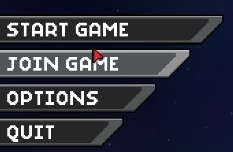
- From the main menu, click
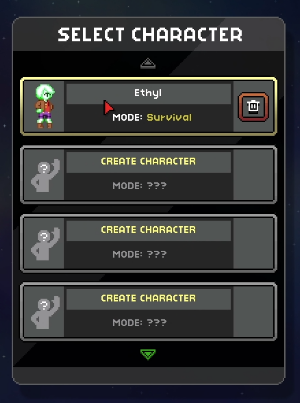
Join Game. - Create a new character or select an existing one to play as.
Step 3: Enter Your Server Details
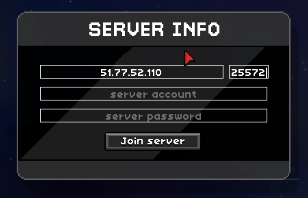
- On the Join Server screen, paste the address you copied from your MintServers panel.
- If the Server IP and Port are listed as separate fields rather than one combined address, split the address at the colon: everything before the colon is the Server IP, and everything after it is the Port.
- Click
Join Serverto connect!
🛠️ Troubleshooting Common Connection Issues
Connection timed out:Double-check that you copied the full address correctly and that your server shows as Running on the MintServers panel.Asset mismatch / kicked on join:Starbound requires every player to have the exact same mods installed as the server. If you were recently kicked after a mod was added or removed from the server, update your own mod list to match.Character won't load in:Try selecting a different character slot or creating a new character, then reconnect.
That's it, you're in! If you run into any trouble getting connected, no worries! Just open a support ticket and our team will gladly help you get into the game.