



 Astro Colony
Ready to jump into your new colony? Joining your Astro Colony dedicated server only takes a few clicks from the main menu. This guide shows you how to find your MintServers server in the in-game list and connect to it.
💡 Pro Tip: Give Your Server A Unique Name:
Many servers start out with the same default name, which makes them hard to spot in the server list. Before you join, open the Game Settings tab on your MintServers panel and give your server a unique Server Name. You can learn more in our Configure Server guide.
Joining Your Server
Before you start, make sure your server is online. Open the Console tab on your MintServers panel and click Start if it is not already running.
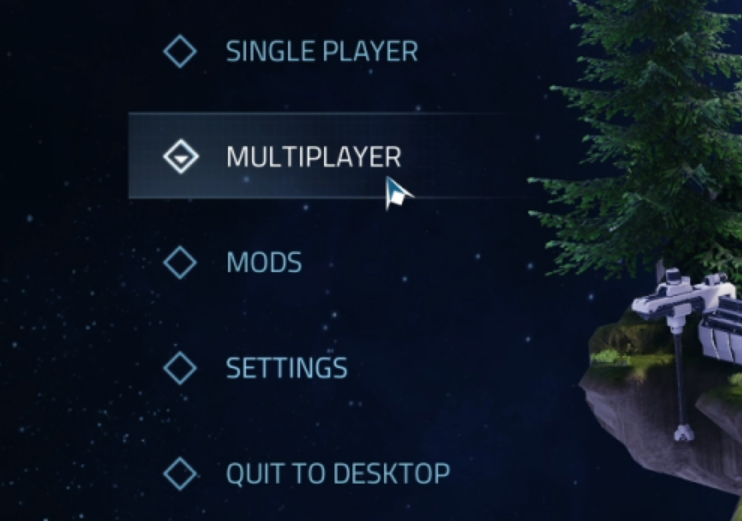
- Launch Astro Colony and click Multiplayer on the main menu.
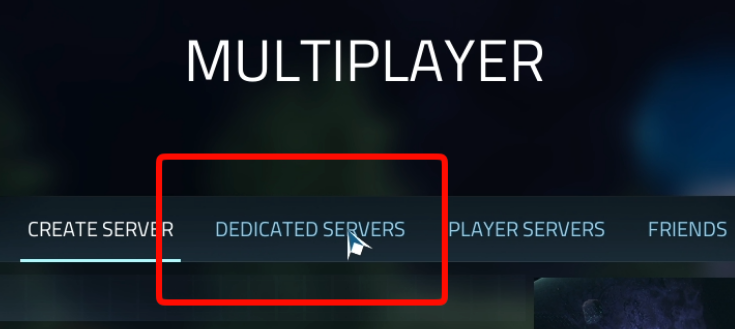
- Go to the Dedicated Servers tab at the top of the Multiplayer screen.
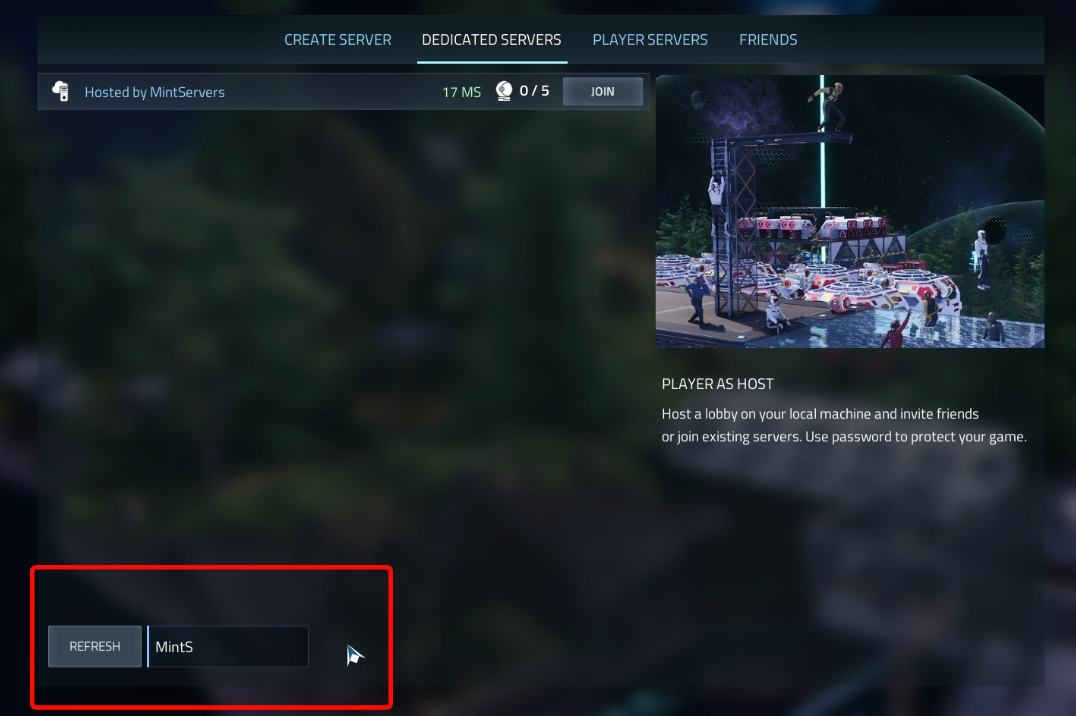
- Type your server name into the search box, find your server in the list, and click Join.
- If you set a Server Password, enter it when the game asks for it.
Troubleshooting
🛠️ Troubleshooting
Server not showing in the list:Make sure your server is running in the Console tab, then search again using your exact Server Name from the Game Settings tab.Too many similar results:Servers that still use the default name are hard to tell apart. Set a unique Server Name in Game Settings so yours stands out.Wrong password:The password you type in-game must match the Server Password in the Game Settings tab exactly. Leave that field empty if you want the server to be public.Version mismatch or failed connection:Make sure your game is fully updated through Steam. Your server also updates itself on boot as long as Auto Update is enabled in Game Settings.
That is all it takes to get your crew together and start building! If you are having trouble finding or joining your server, no worries! Just open a support ticket and our team will gladly jump in and help out.