



 Satisfactory
Before you can jump into your factory, Satisfactory needs to connect to your dedicated server through the in-game Server Manager. The very first connection takes a few extra steps to claim and configure the server, but after that, joining is quick. This guide covers both.
Connecting For The First Time
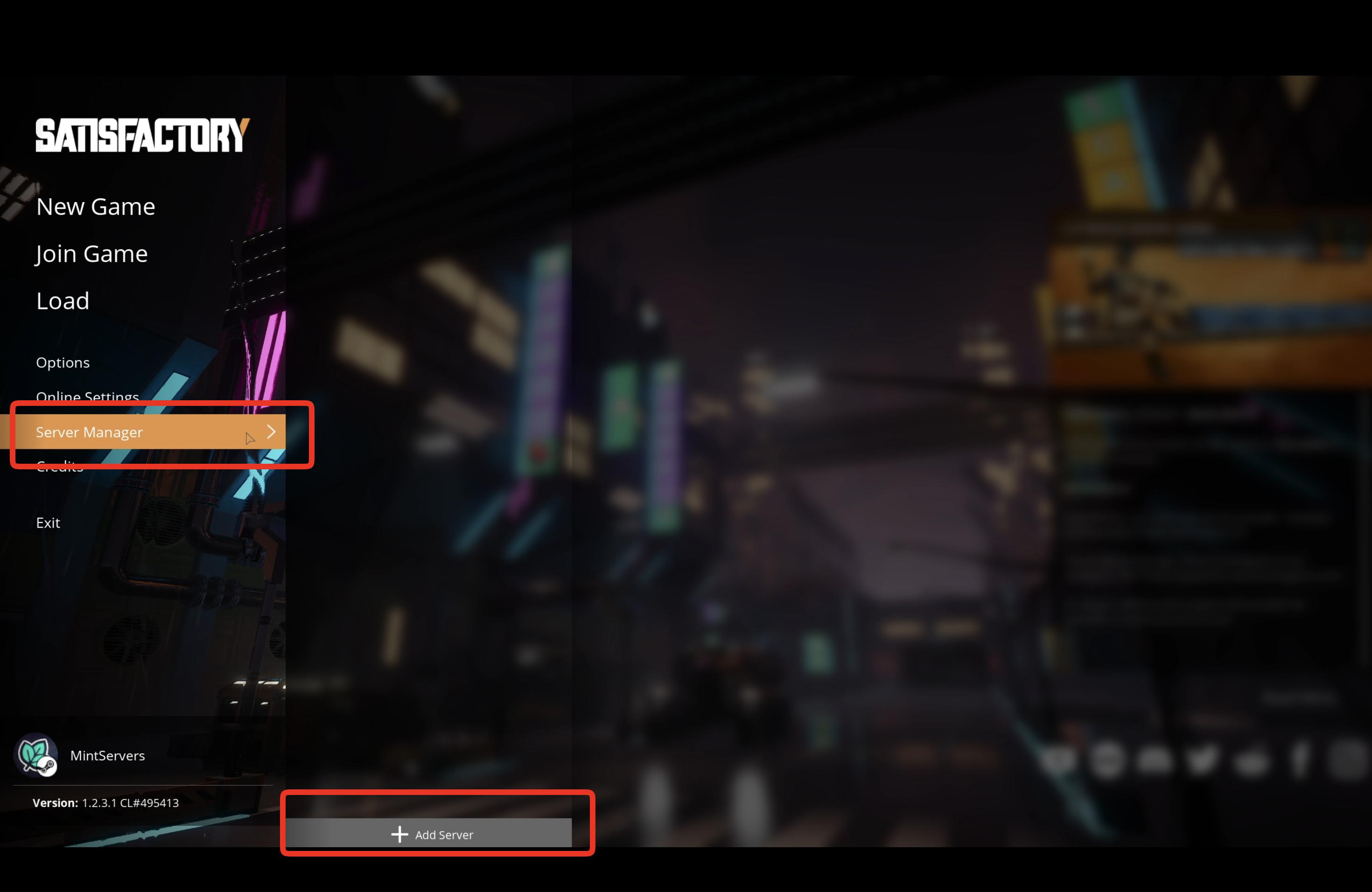
- Launch Satisfactory and go to Server Manager on the main menu.
- Click Add Server.
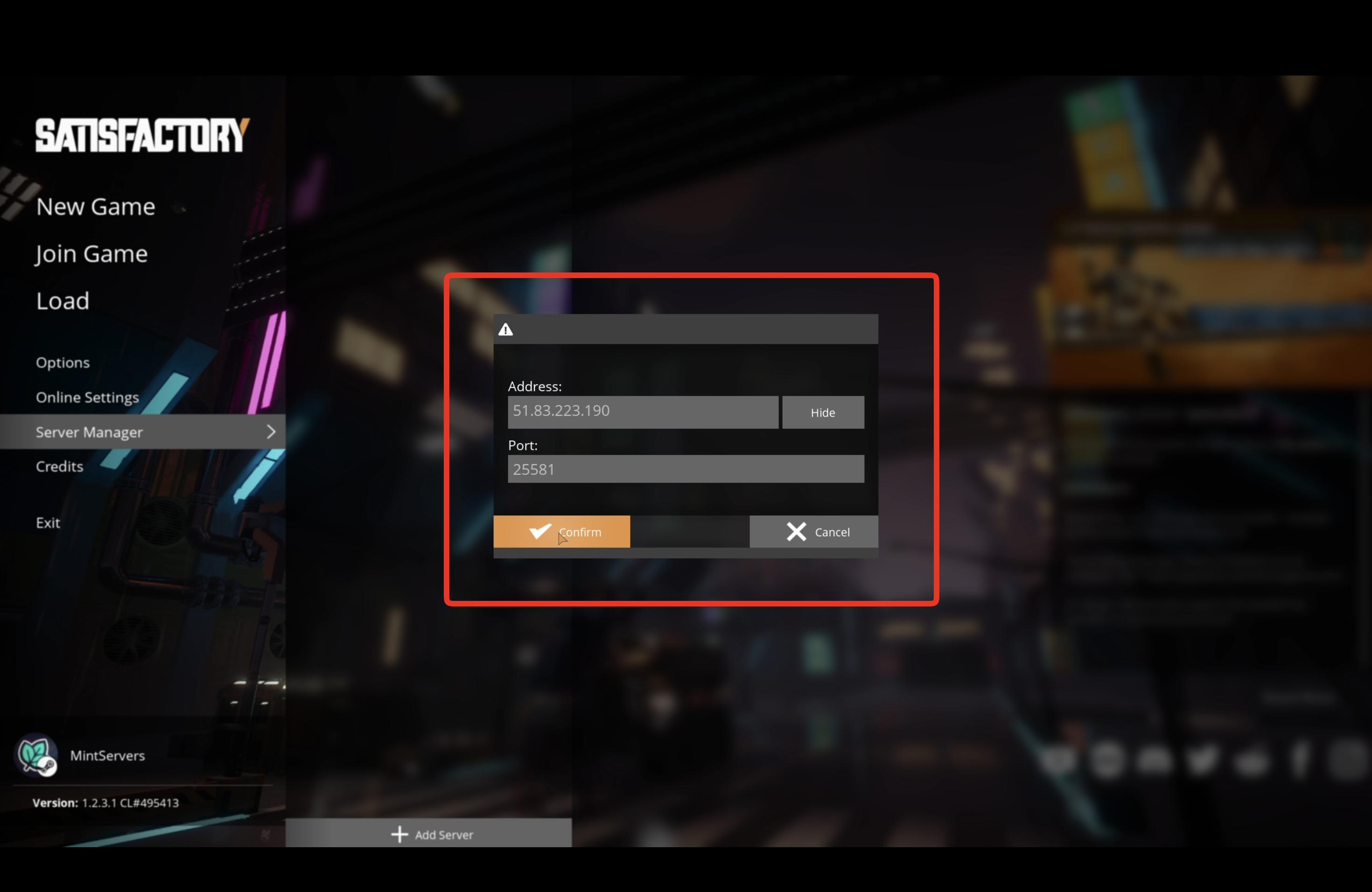
- Enter your server's IP address and Port, then click Confirm.
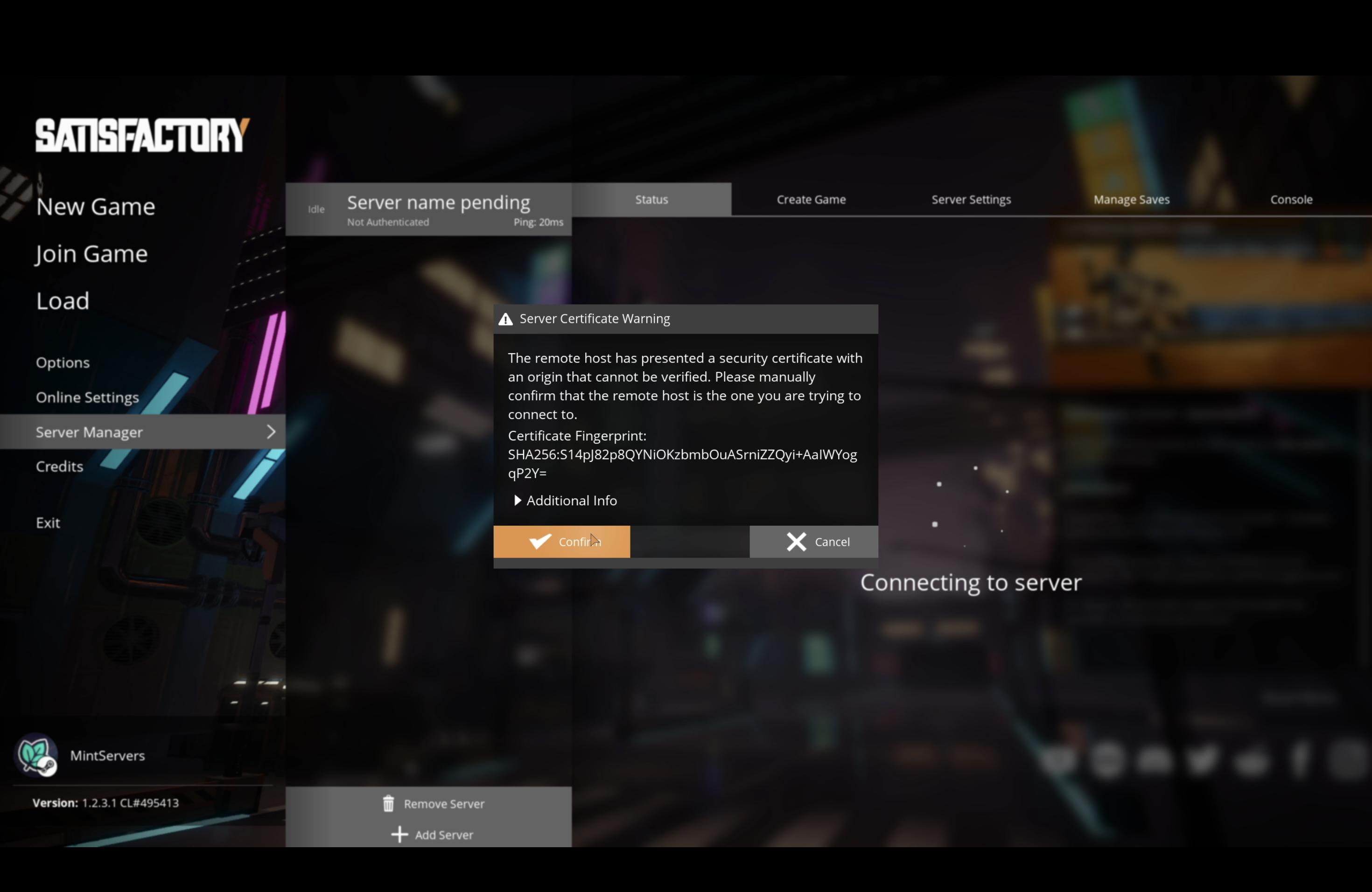
- You'll see a Server Certificate Warning. This is expected, your server generates its own certificate that Satisfactory can't verify automatically. Click Confirm to trust it.
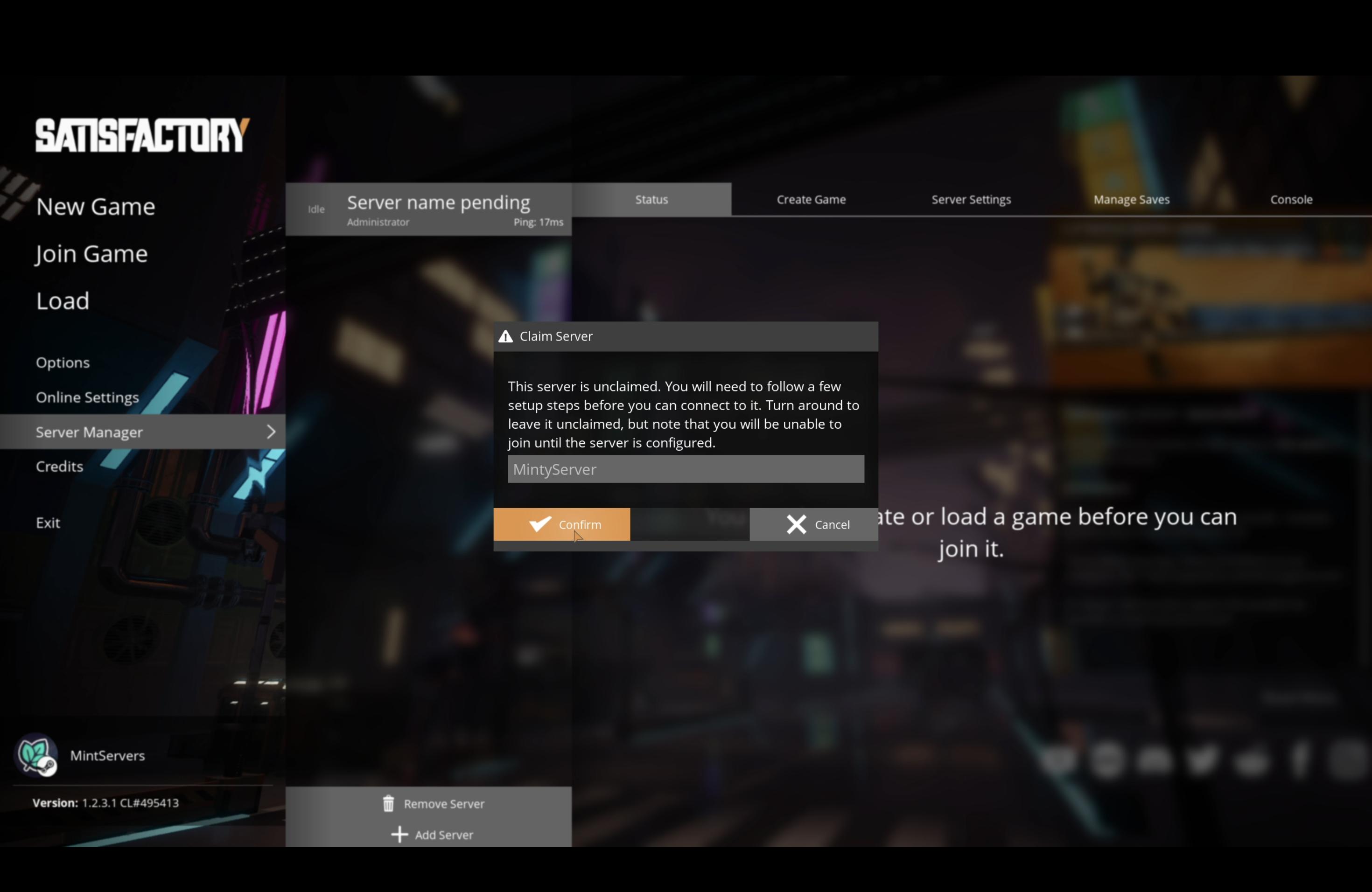
- Since this is a brand new server, you'll be asked to claim it. Enter a Server Name, the name players will see when browsing for your server, and click Confirm.
- Set an Admin Password. This is separate from any password players use to join the world, it's what lets you access the Server Settings tab later on.
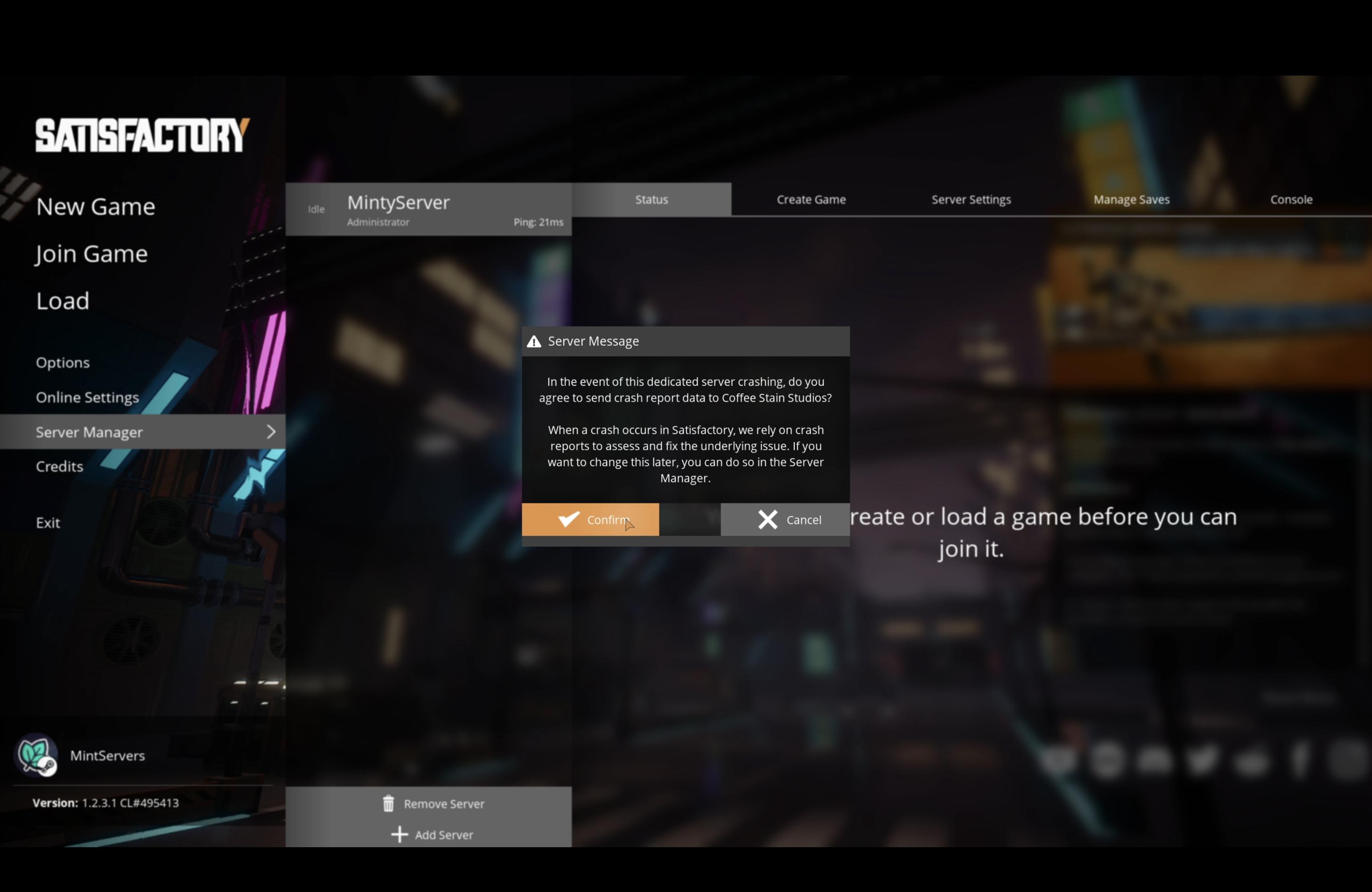
- You'll be asked whether to send gameplay analytics and crash reports to the developers. Choose whichever you're comfortable with, this doesn't affect how your server runs.
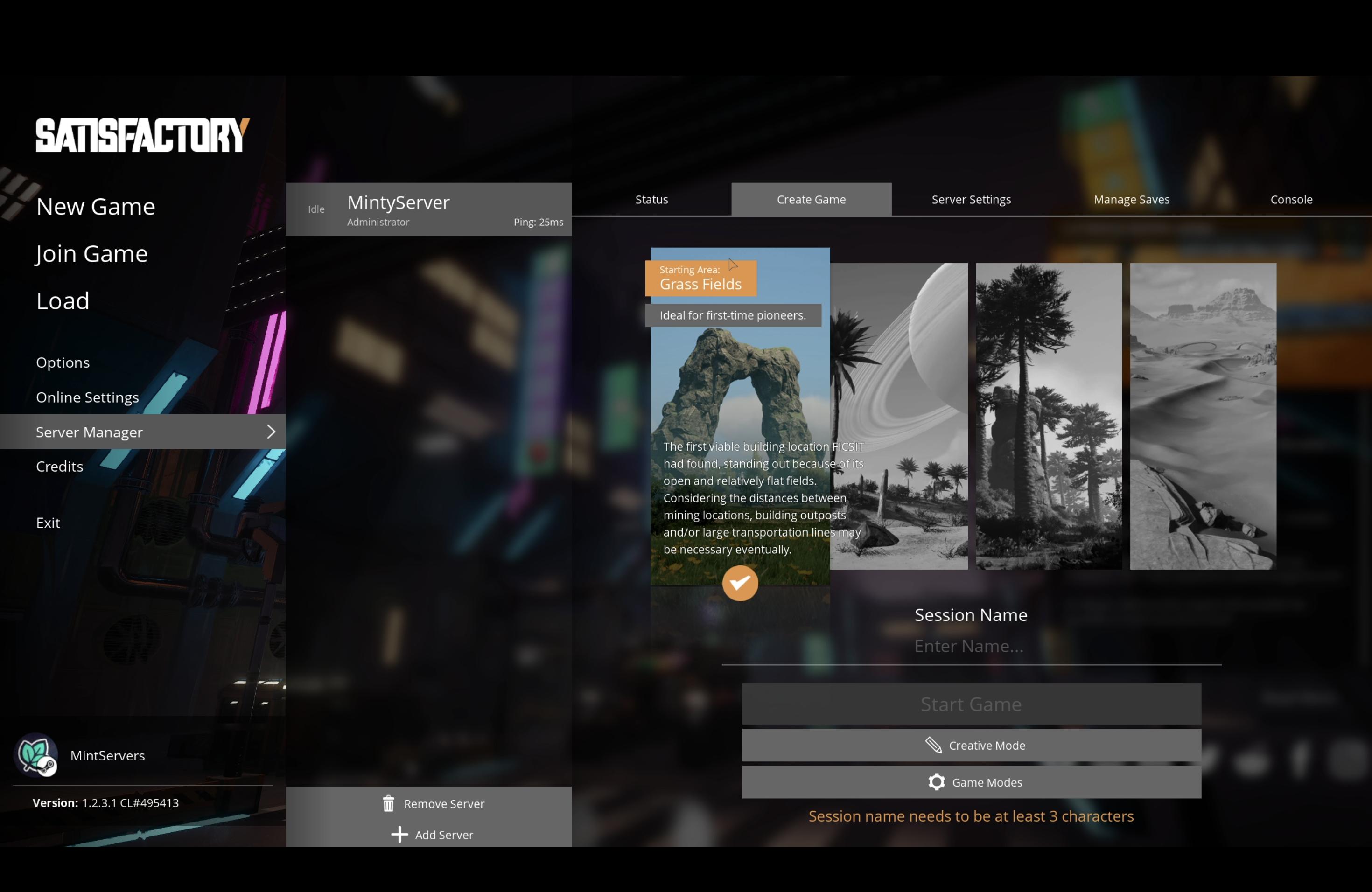
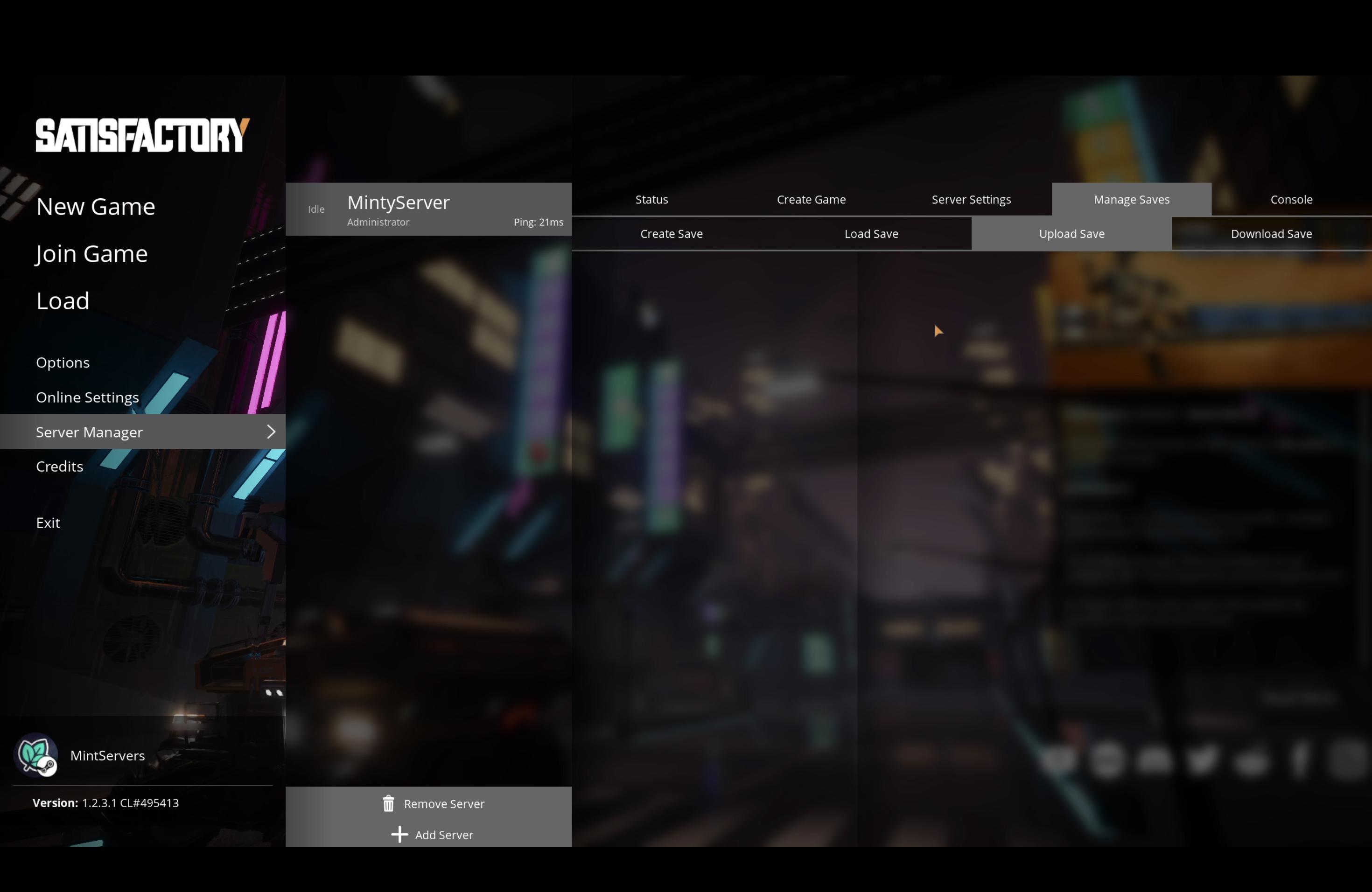
- Click the Create Game tab to start a brand new save, or Manage Saves to upload an existing one from your local game.
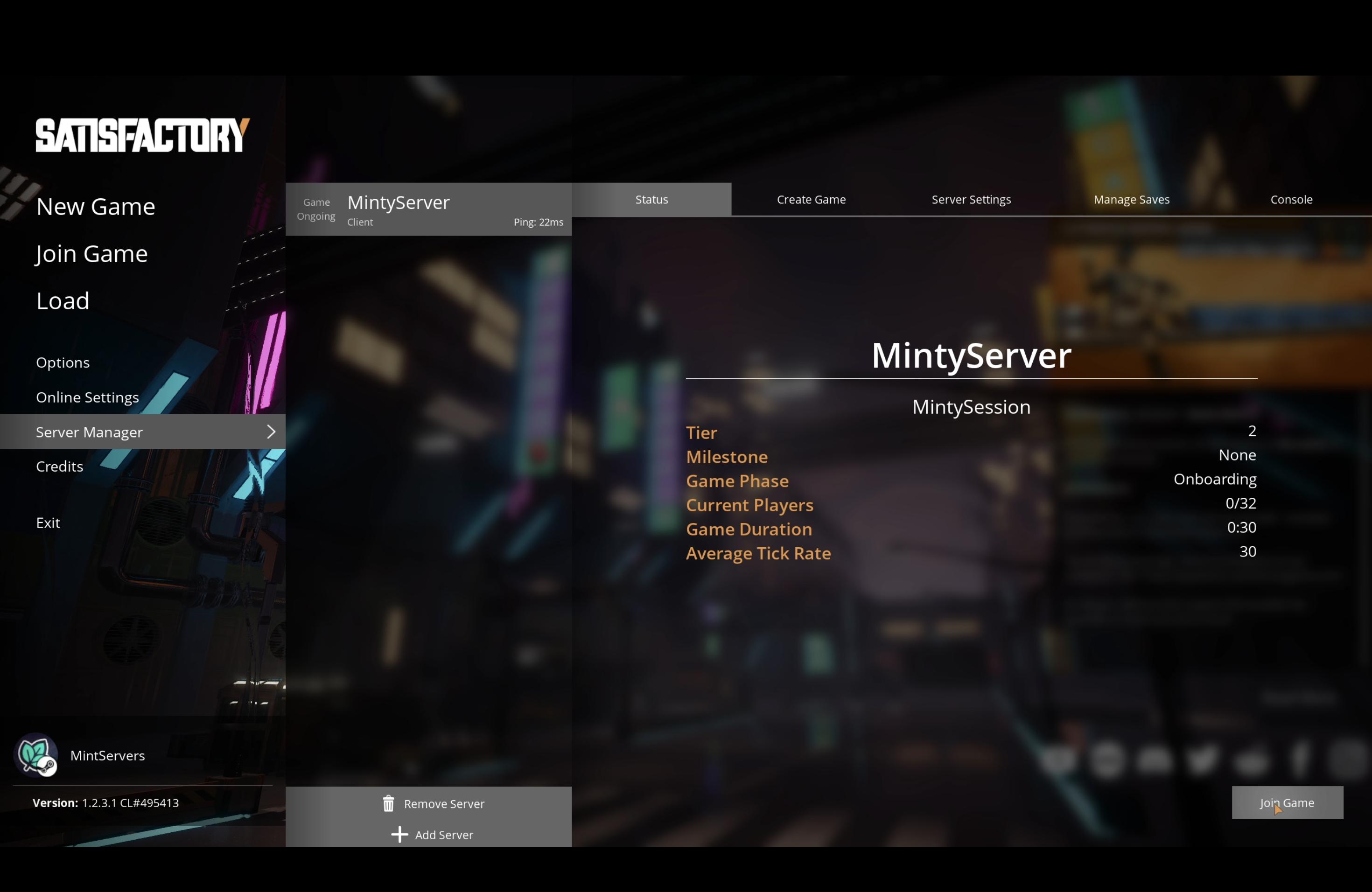
- Once your save is ready, click Join Game to load into the world.

⚠️ Important Warning:
Only accept the Server Certificate Warning if you're sure this is your own server. Double-check the IP address and port before clicking Confirm.

Joining After The Server Is Set Up (Direct IP)
Once a server has been claimed and configured, you don't need to go through Server Manager every time. Anyone with the IP and port can connect directly.
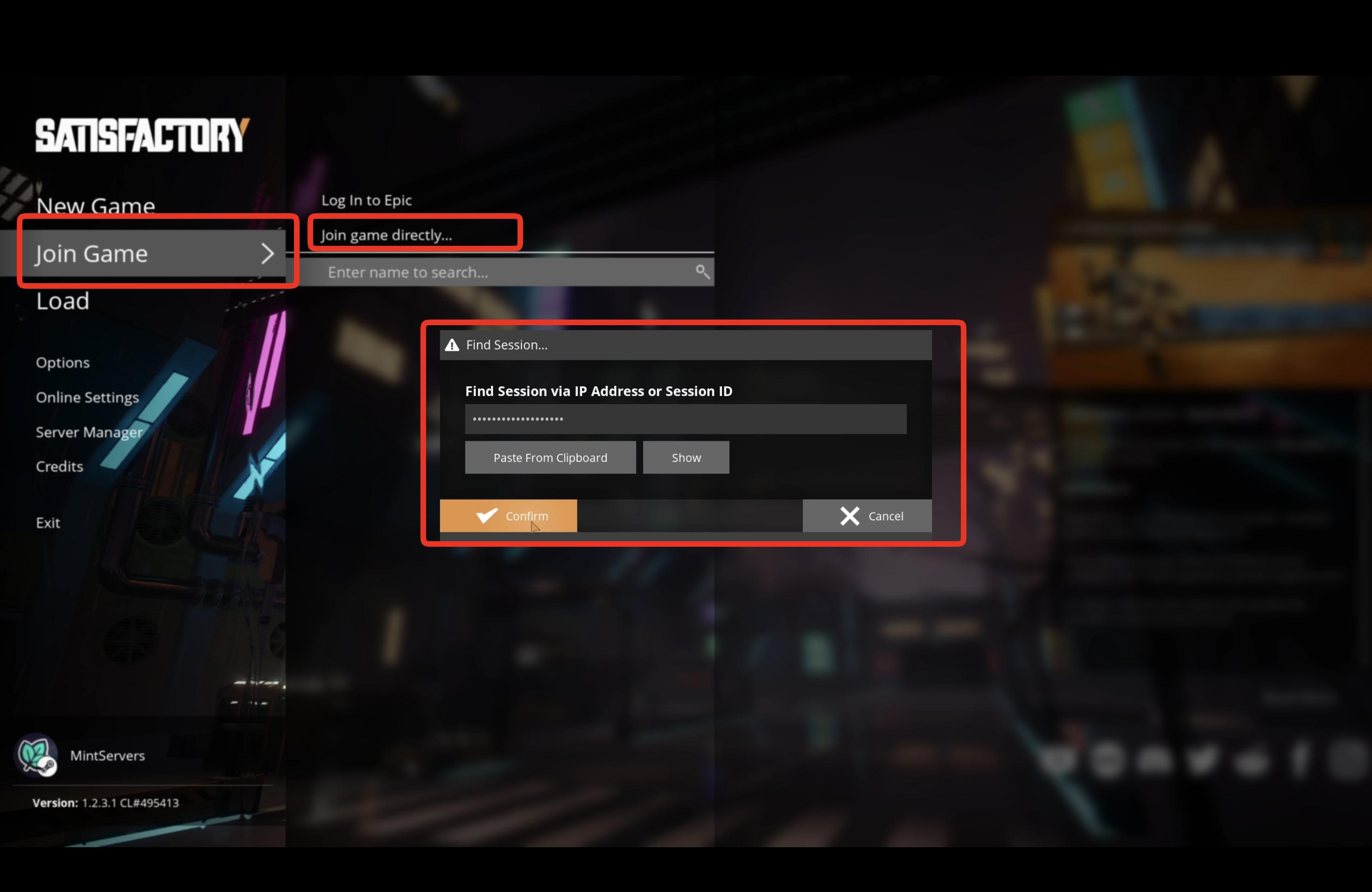
- Go to Join Game on the main menu.
- Click Join Game Directly.
- Enter the server's IP address and Port.
- Click Confirm to connect.
📝 Note:
Join Game Directly only works once the server's certificate has already been trusted by someone through the Server Manager. If you're the very first person connecting to a brand new server, use the Server Manager method above instead.
If your friends have a password to enter, our guide on adding a password to your Satisfactory server covers where that's configured. If you're having any trouble getting connected, no worries! Just open a support ticket and our team will be happy to help.